Overview
This month’s updates reinforce our mission to make it easy to analyze, recreate, and act on the insights in your telemetry.- Explore v2 (Beta) now offers improved performance and clearer interactions, giving you a smoother experience when investigating live or historical data.
- Within Explore v2 (Beta), the new Panel Configurations (Beta) feature lets you capture the precise setup of any Panel so you can quickly recreate analyses or apply them to new data.
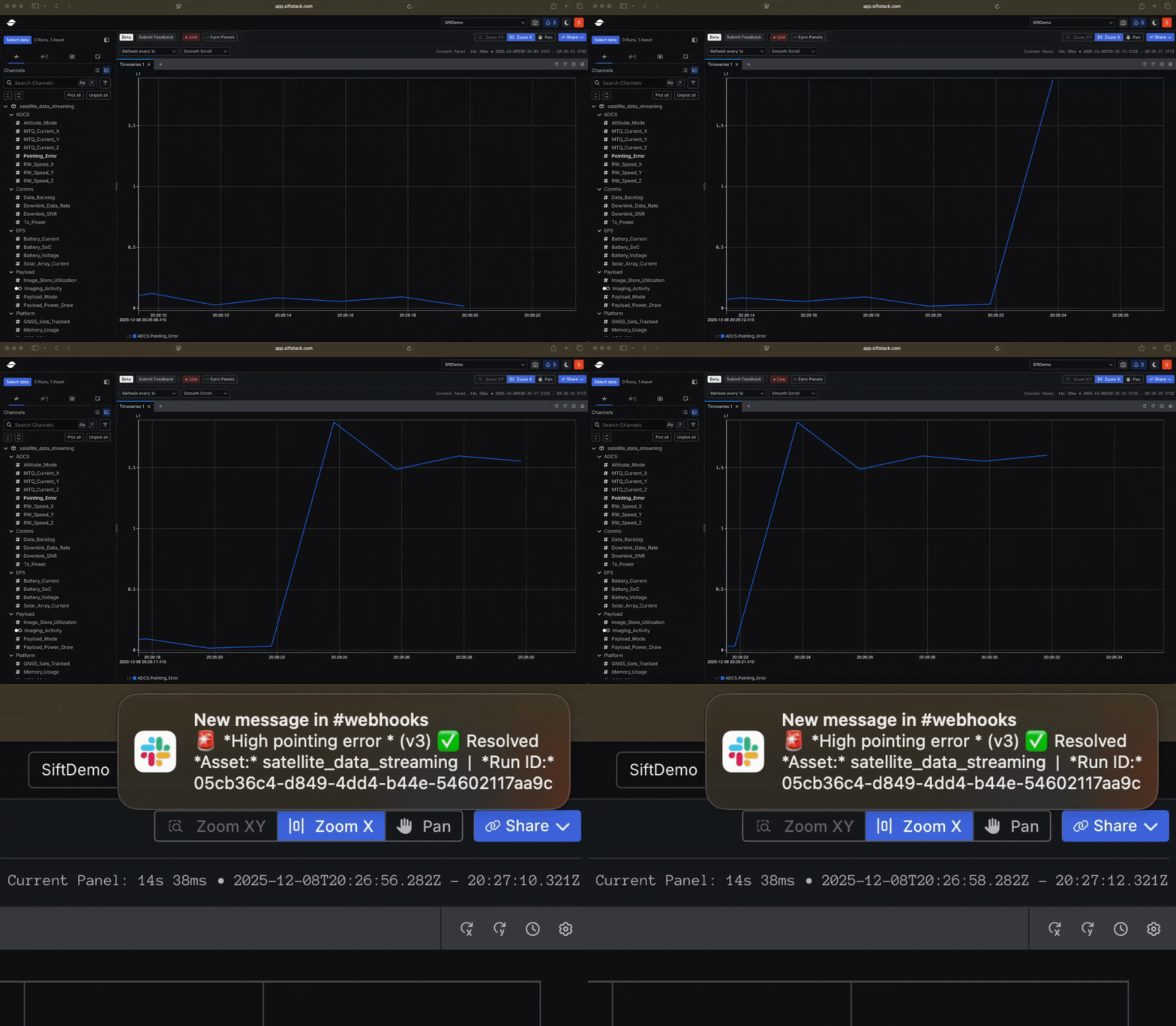
- And when you are not directly analyzing your telemetry, Webhooks (now generally available) notify you the moment important changes occur in your live data.
New Accelerate your analysis with a faster Explore v2 (Beta)
Explore v2 (Beta) continues to evolve with upgrades that make it more responsive, intuitive, and stable across both live and historical analysis. Improvements span smoother real-time analysis, a clearer and more useful Table Panel, more flexibility in Charts, and simplified time range controls. See the Changelog for full details.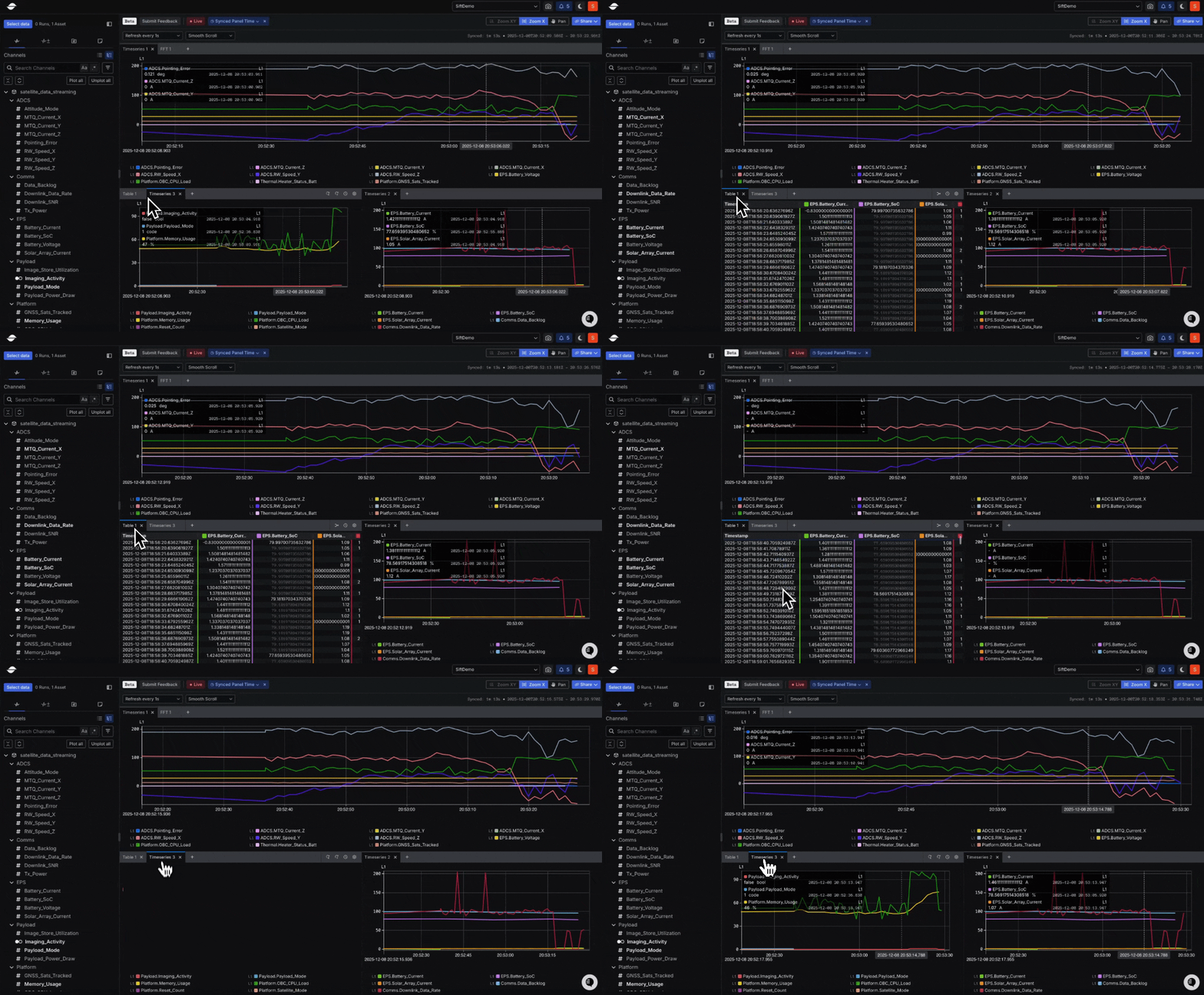
New Easily recreate and share visual analyses
The new Panel Configurations (Beta) feature in Explore v2 (Beta) builds on and expands the capabilities previously offered by Views in Explore v1, providing more granular control, greater flexibility, and improved reusability across analysis workflows. They let you capture and reuse the complete visualization setup of an individual Panel, including Channel selections, axis mappings, color scales, hidden states, and styling preferences. Learn more.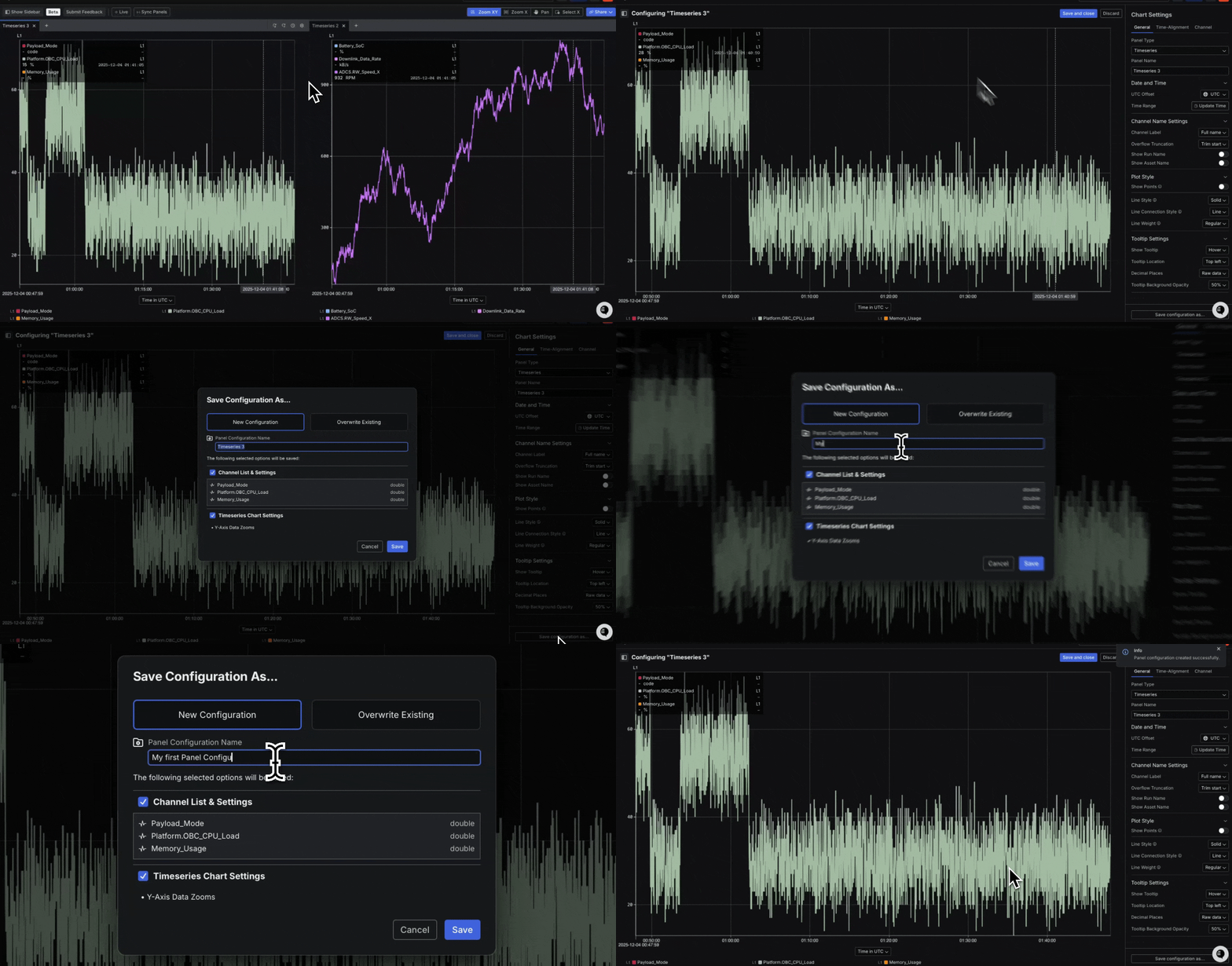
Contact us to join the Beta.
New Trigger external workflows the instant something important happens in your telemetry
Webhooks are now generally available, making it easy to integrate Sift with your external tools and trigger actions based on telemetry. By automatically sending real-time events when a live Rule is violated and resolved, Webhooks connect Sift directly with your existing software tools, such as Microsoft Teams, Slack, Jira, OpsGenie, and PagerDuty. Learn more.