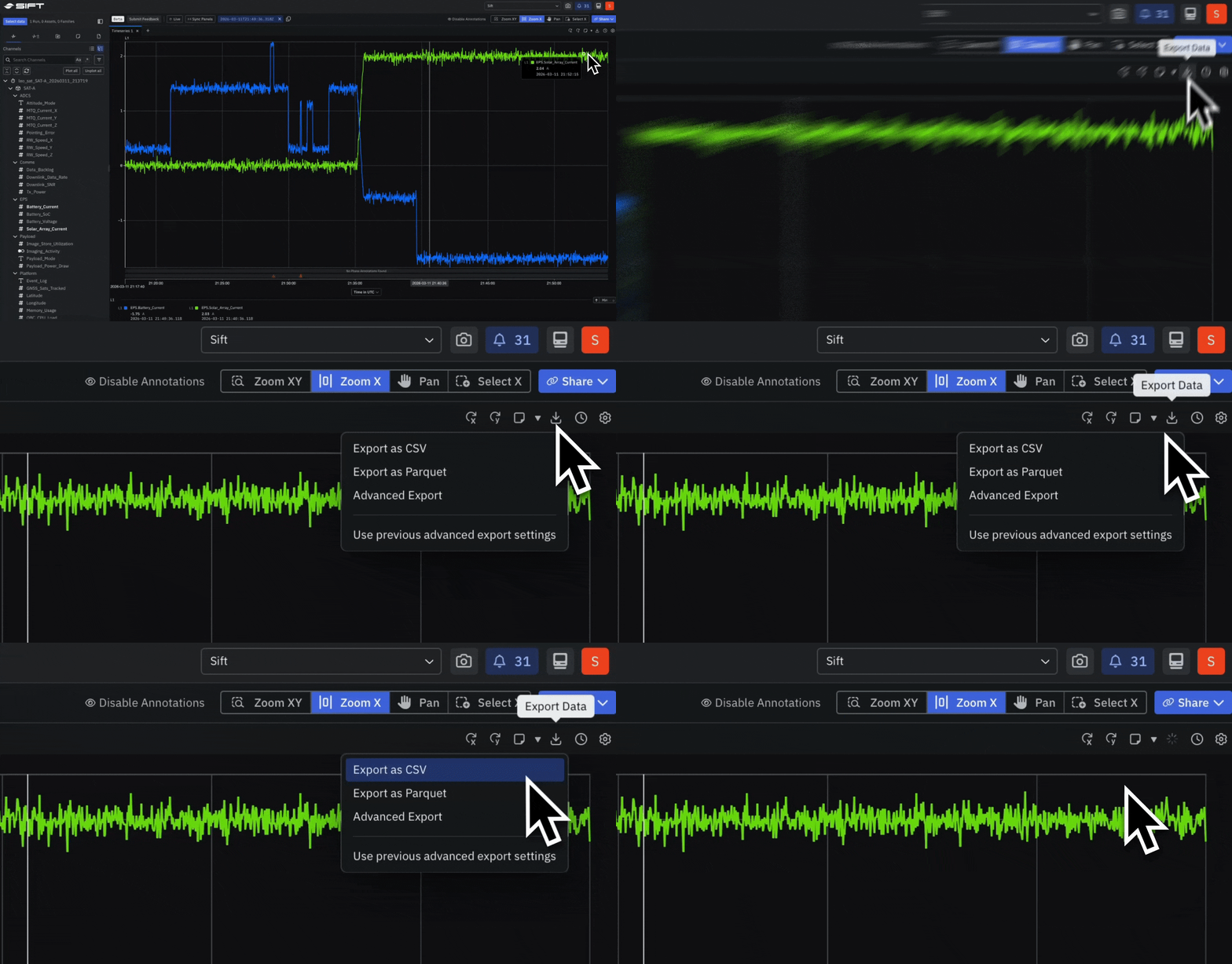
New: Export data from any Timeseries Panel in CSV, Parquet, or WinPlot
Export data directly from any Timeseries Panel in Explore and move it into downstream tools without copying or reformatting. Choose the format that fits your pipeline:- CSV for broad compatibility,
- Parquet for columnar analysis, or
- WinPlot for signal-specific tooling.
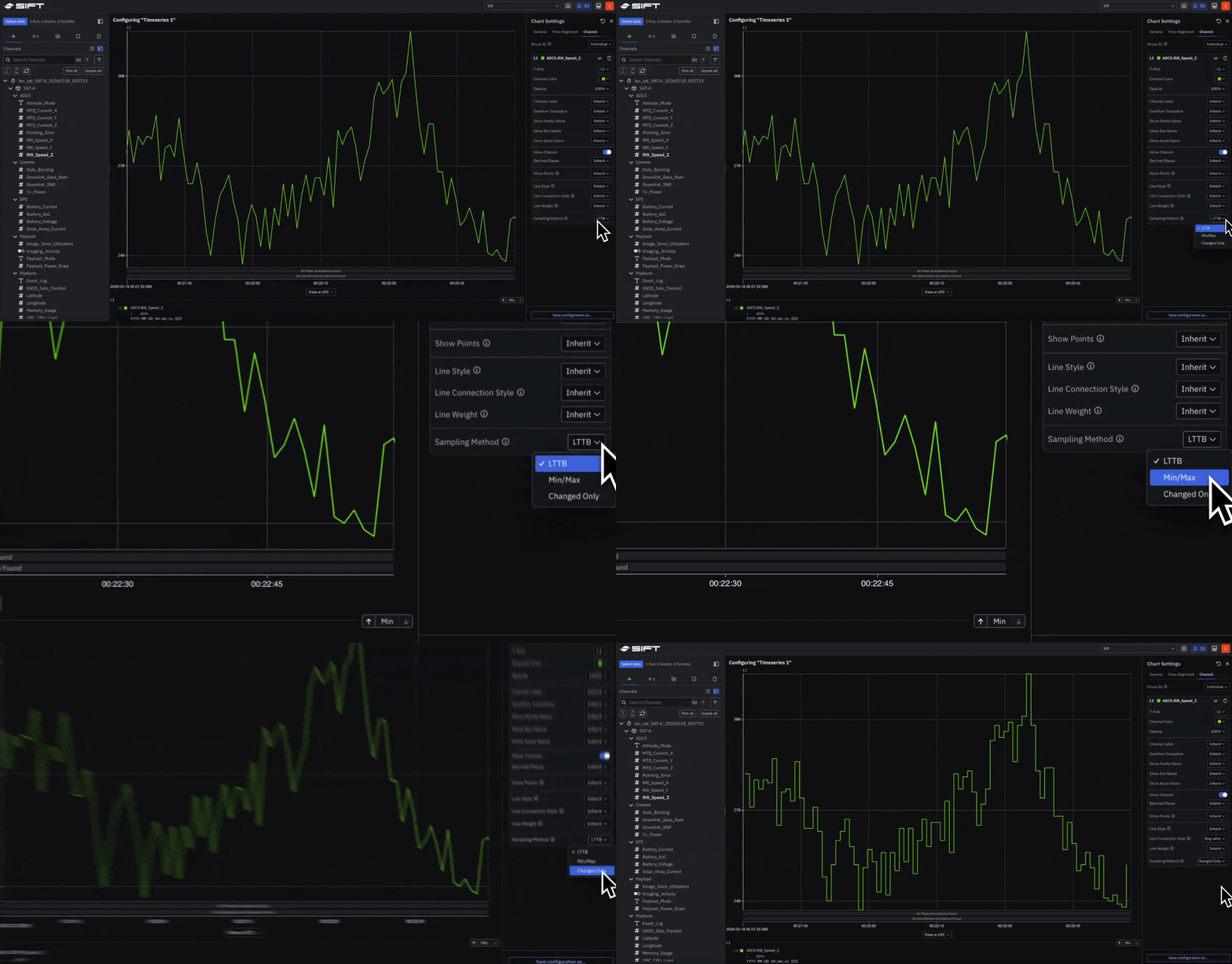
New: Control how each Channel is downsampled in a Timeseries Panel
Select any Channel in a Timeseries Panel to set its downsampling method:- LTTB for preserving overall signal shape,
- Min/Max for retaining true peaks and valleys, or
- Changed Only for capturing state transitions in enum and boolean Channels.
New: Swap a Run or Asset in Explore without rebuilding your Panels
Replace the data source behind an investigation, Run or Asset, while keeping every Panel, layout, and setting intact. When new test data arrives, swap the source and continue where you left off.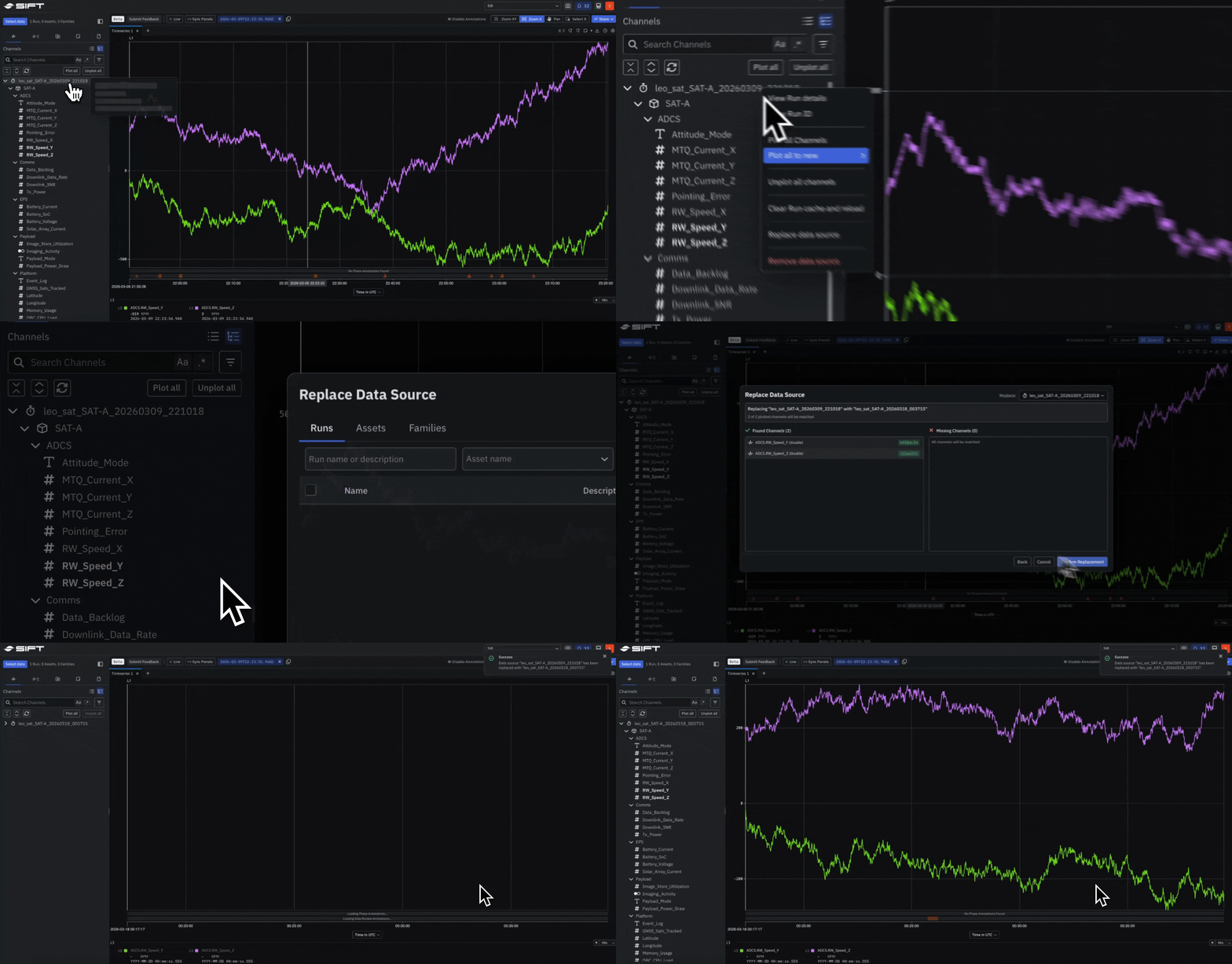
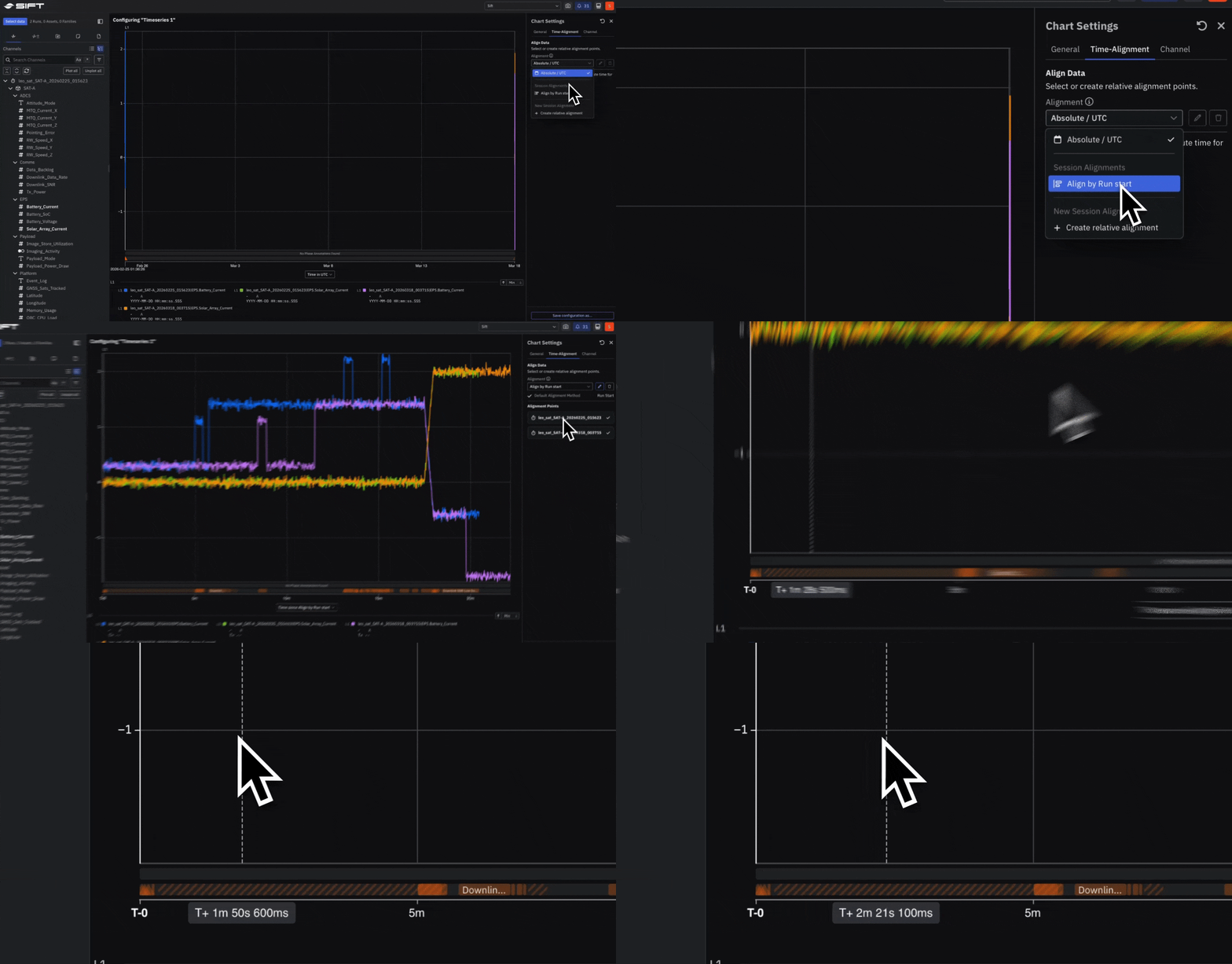
Beta: Align Runs on a shared timeline to compare data across tests
Offset Runs that happened at different times so they share a common reference point.- Align to the start or end of a Run,
- a specific timestamp, or
- an Annotation within the Run, then compare behavior side by side on one timeline.
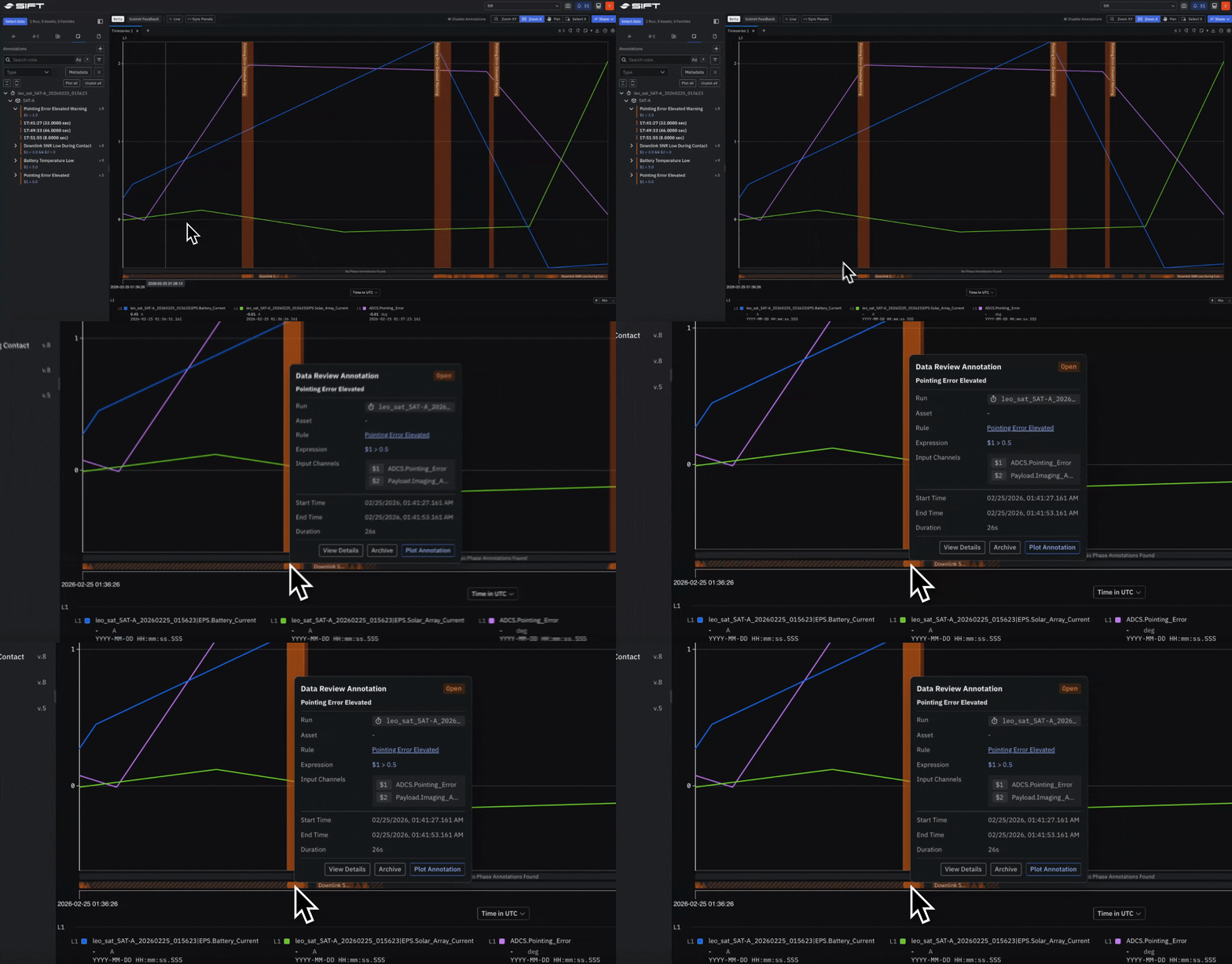
Beta: Plot and create Annotations directly on a Timeseries Panel
Plot Annotations from an Asset or Run onto any Timeseries Panel and create new ones without leaving Explore. Mark a phase, flag a review, or pin an exact moment so the full context stays attached to the data.