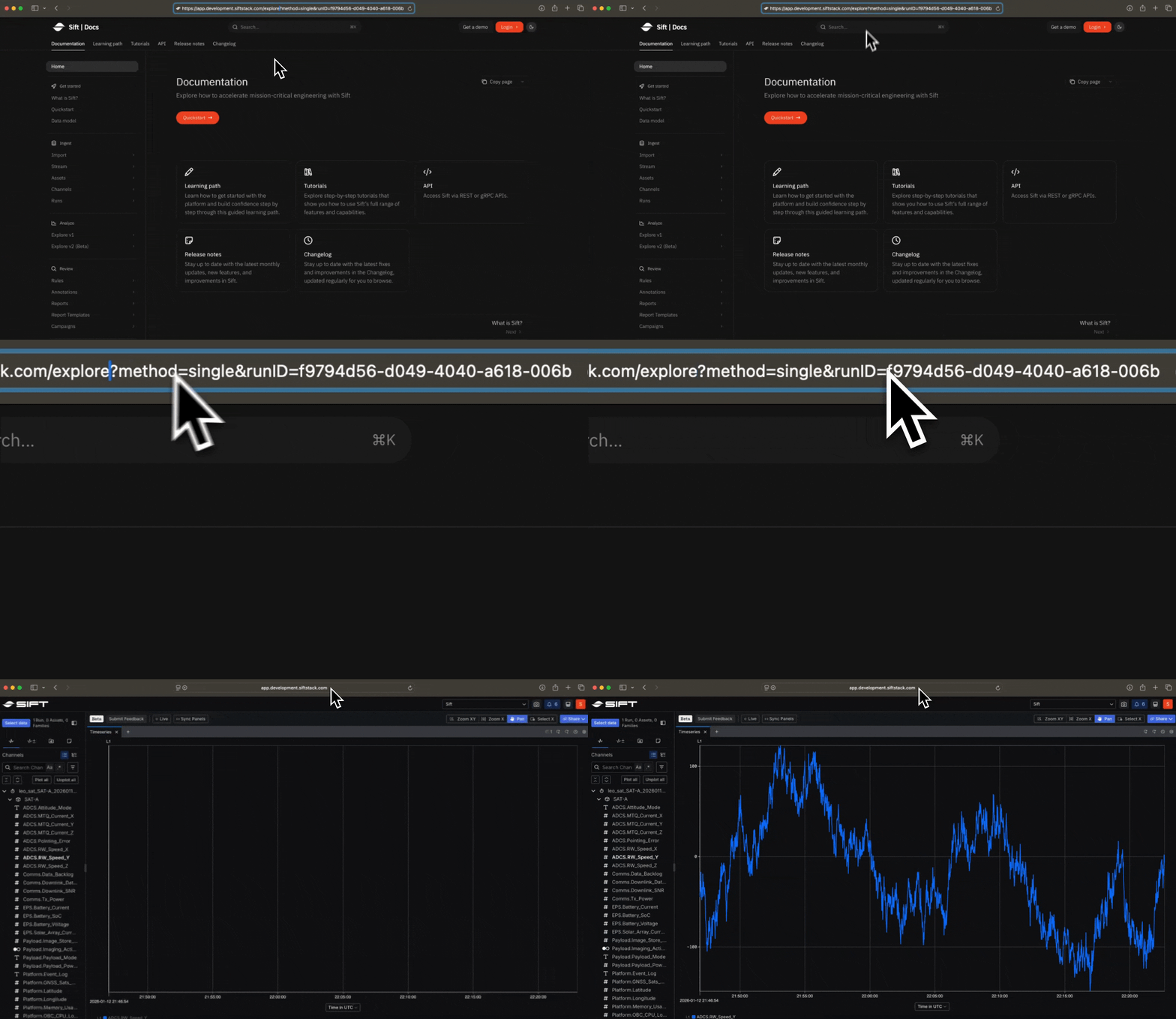
New Launch targeted analyses via dynamic URLs
Create custom dynamic URLs that open Explore v2 (Beta) with pre-specified data. This capability allows you to:- Define exact session parameters, including the specific Run or Asset, Channels, Panel type, and precise start/end times.
- Automate complex visual setups using dynamic links that eliminate the need for manual configuration.
- Ensure team members land on the exact telemetry and timeframe required for their review immediately upon clicking.
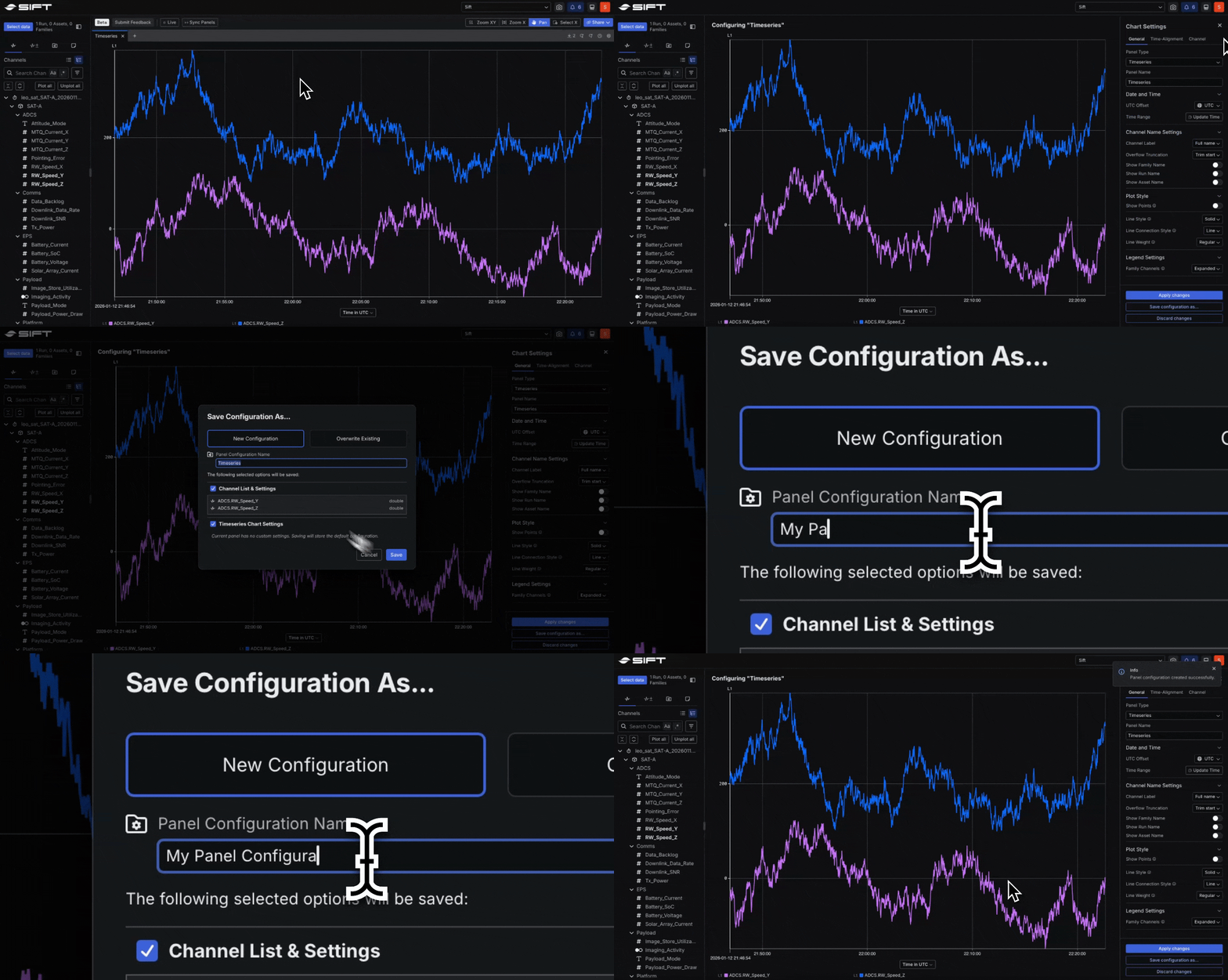
New Easily recreate and share visual analyses
Standardize your analysis using Panel Configurations, which have moved from Beta to General Availability (GA). This feature allows you to capture and reuse the complete visualization setup of an individual Panel to:- Save specific Channel selections, axis mappings, and styling preferences for instant recall.
- Share these configurations across your organization to provide the granular control needed to recreate complex visual analyses.
- Standardize your analysis workflow by instantly reproducing saved visual setups.
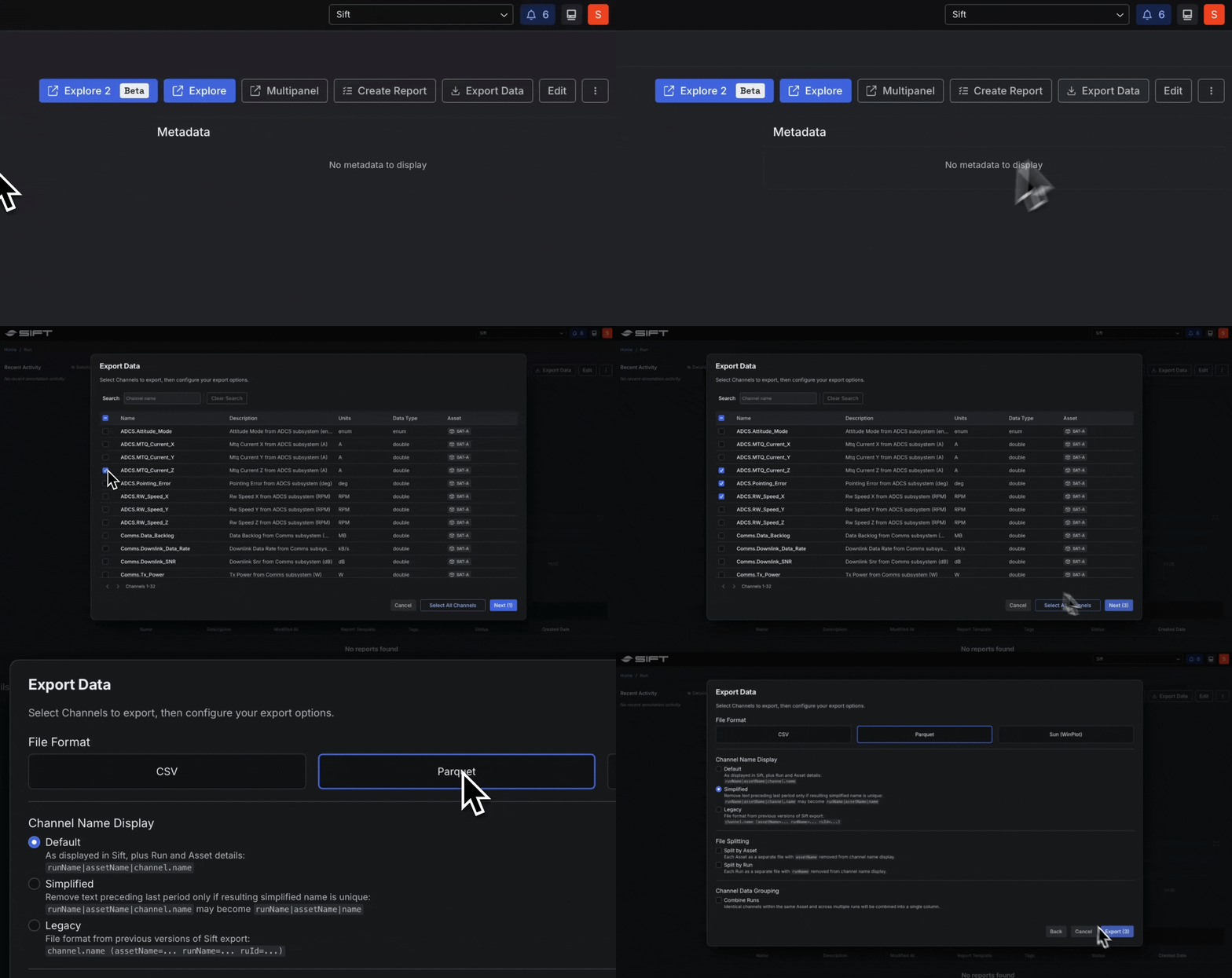
New Export data to Parquet
Move your telemetry beyond Sift for custom analysis by exporting Runs or specific Channels into a Parquet format. This ensures your data remains portable and allows you to:- Transfer high-volume telemetry into any tool that supports the Parquet standard, such as pandas, DuckDB, or Polars.
- Preserve native data types and precision, eliminating the need for manual cleanup.
- Empower your team to perform complex analysis in your preferred data stack.