> ## Documentation Index
> Fetch the complete documentation index at: https://docs.siftstack.com/llms.txt
> Use this file to discover all available pages before exploring further.

# August 2025

> Accelerating the journey from data to decisions

export const MintTable = ({columns = [], rows = [], columnWidths = []}) => {
  const pushTextWithLineBreaks = (parts, text, keyBase) => {
    const segments = String(text).split(/\\n|\n/);
    segments.forEach((segment, idx) => {
      if (segment) {
        parts.push(<span key={`${keyBase}-text-${idx}`}>{segment}</span>);
      }
      if (idx < segments.length - 1) {
        parts.push(<br key={`${keyBase}-br-${idx}`} />);
      }
    });
  };
  const parseMarkdown = text => {
    if (text === null || text === undefined) return "";
    const str = String(text);
    const parts = [];
    let lastIndex = 0;
    const pattern = /(`[^`]+`|\*\*[^*]+\*\*|\*[^*]+\*|\[([^\]]+)\]\(([^)]+)\))/g;
    let match;
    while (true) {
      match = pattern.exec(str);
      if (match === null) {
        break;
      }
      if (match.index > lastIndex) {
        pushTextWithLineBreaks(parts, str.substring(lastIndex, match.index), `before-${lastIndex}`);
      }
      const fullMatch = match[0];
      if (fullMatch.startsWith("`") && fullMatch.endsWith("`")) {
        parts.push(<code key={match.index}>{fullMatch.slice(1, -1)}</code>);
      } else if (fullMatch.startsWith("**") && fullMatch.endsWith("**")) {
        parts.push(<strong key={match.index}>{fullMatch.slice(2, -2)}</strong>);
      } else if (fullMatch.startsWith("*") && fullMatch.endsWith("*")) {
        parts.push(<em key={match.index}>{fullMatch.slice(1, -1)}</em>);
      } else if (fullMatch.startsWith("[")) {
        const linkText = match[2];
        const linkUrl = match[3];
        parts.push(<a key={match.index} href={linkUrl} className="text-black-600 dark:text-black-400">
            {linkText}
          </a>);
      }
      lastIndex = pattern.lastIndex;
    }
    if (lastIndex < str.length) {
      pushTextWithLineBreaks(parts, str.substring(lastIndex), `tail-${lastIndex}`);
    }
    if (parts.length > 0) {
      return parts;
    }
    const plainParts = [];
    pushTextWithLineBreaks(plainParts, str, "plain");
    return plainParts.length ? plainParts : str;
  };
  const safeColumns = Array.isArray(columns) ? columns : [];
  const safeRows = Array.isArray(rows) ? rows : [];
  const safeColumnWidths = Array.isArray(columnWidths) ? columnWidths : [];
  const hasColumnWidths = safeColumnWidths.some(w => w !== null && w !== undefined && w !== "");
  const toCssWidth = width => typeof width === "number" ? `${width}px` : String(width);
  const getColumnStyle = idx => {
    const rawWidth = safeColumnWidths[idx];
    if (rawWidth === null || rawWidth === undefined || rawWidth === "") {
      return undefined;
    }
    const width = toCssWidth(rawWidth);
    return {
      width,
      minWidth: width
    };
  };
  const containerStyle = hasColumnWidths ? undefined : {
    overflowX: "auto"
  };
  const tableStyle = hasColumnWidths ? {
    tableLayout: "fixed",
    width: "100%"
  } : {
    width: "max-content",
    minWidth: "100%"
  };
  if (!Array.isArray(columns) || !Array.isArray(rows) || !Array.isArray(columnWidths)) {
    console.warn("MintTable received invalid props:", {
      columns,
      rows,
      columnWidths
    });
  }
  if (!safeColumns.length && !safeRows.length) {
    return null;
  }
  return <div className="mint-table-container" style={containerStyle}>
      <table style={tableStyle}>
        {hasColumnWidths && <colgroup>
            {safeColumns.map((_, idx) => {
    const style = getColumnStyle(idx);
    return <col key={idx} style={style} />;
  })}
          </colgroup>}
        <thead>
          <tr>
            {safeColumns.map((col, idx) => <th key={idx} className="text-left" style={getColumnStyle(idx)}>
                <b>{parseMarkdown(col)}</b>
              </th>)}
          </tr>
        </thead>
        <tbody>
          {safeRows.map((row, rIdx) => {
    const safeRow = Array.isArray(row) ? row : [];
    return <tr key={rIdx}>
                {safeRow.map((cell, cIdx) => <td key={cIdx} style={getColumnStyle(cIdx)}>
                    {parseMarkdown(cell)}
                  </td>)}
              </tr>;
  })}
        </tbody>
      </table>
    </div>;
};

export const SiftIcon = ({className}) => <span className={`inline-flex items-center align-middle text-black dark:text-white ${className || ''}`}>
    <svg xmlns="http://www.w3.org/2000/svg" xmlns:xlink="http://www.w3.org/1999/xlink" version="1.1" id="Artwork" x="0px" y="0px" viewBox="0 0 1005.58 733.96" style={{
  enableBackground: "new 0 0 1005.58 733.96",
  width: "2em",
  height: "2em"
}} xmlSpace="preserve">
      <path fill="currentColor" d="M552.16,150.89c-165.6,0-180.29,160.61-300.62,192.32v2.67h601.24v-2.67C747.74,324.18,717.72,150.89,552.16,150.89z   M453.46,583.08c165.6,0,180.29-160.61,300.62-192.32v-2.67H152.84v2.67C257.88,409.78,287.91,583.08,453.46,583.08z" />
    </svg>
  </span>;

Each of this month's updates stands strong on its own, but together they tell a story about where Sift is headed.

1. If your pipelines produce data in [Parquet](#new%3A-parquet-file-support-for-telemetry-ingestion-in-the-ui-and-rest-api-beta), you can now bring it directly into Sift.
2. Once that data is inside, [Metadata](#new%3A-user-defined-metadata-for-consistent-organization%2Ffiltering-across-sift-resources), a new Sift feature, ensures it can be organized, managed, and easily found later, making reviews more automated and efficient.
3. From there, Explore v2 (Beta) becomes the place to work, transforming Parquet data into insights. Now, in Explore v2 (Beta), with [Live Mode, Sync Mode, and Views](#new%3A-explore-2-beta-expands-with-sync-mode%2C-live-mode%2C-and-views), teams can track signals in real time and uncover root causes faster.

Individually, these updates add speed, structure, and efficiency. Together, they show Sift as the platform that turns raw data into organized review, live analysis, and shared insight without friction.
Beyond these highlights, you will also find several other <Icon icon="sparkles" /> <span className="new">New</span> and <Icon icon="hammer" /> <span className="improvement">Improved</span> updates described below.

## <Icon icon="sparkles" /> <span className="new">New</span>: Explore 2 (Beta) expands with Sync mode, Live mode, and Views

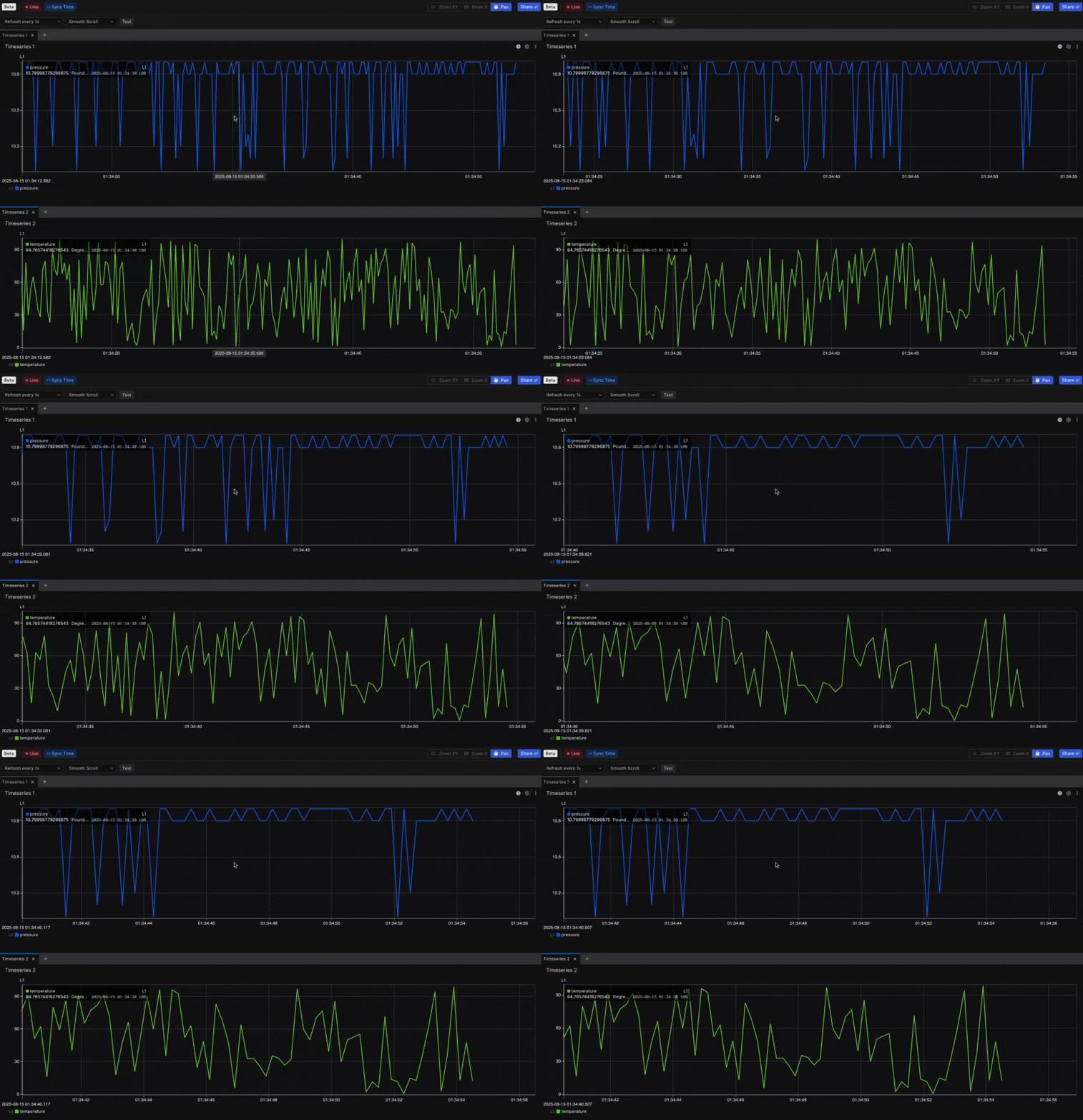
* <Icon icon="o" /> **Overview**: Explore 2 (Beta) now expands with Live mode to stream data directly into the workspace and Sync mode to align a multi-panel view containing different Channels.
  When Sync mode is active, zooming into one panel automatically adjusts the others to the same time range.
  An early implementation of Views is also available in Explore 2 (Beta): you can apply Views created in Explore 1, with support for creating and editing Views planned for a future release (in Explore 2).
  These updates build on the foundation of Explore 2 (Beta), which delivers speed, precision, and control for high-frequency telemetry analysis.

<Frame>
  <img src="https://mintcdn.com/sift/AVPAwC92-E5RJWuy/images/content/release-notes/aug-25/modes.gif?s=e0808e52ce8d8ee08403d010ff86c4b3" alt="Live + Sync mode" className="rounded-lg" width="1044" height="720" data-path="images/content/release-notes/aug-25/modes.gif" />
</Frame>

## <Icon icon="sparkles" /> <span className="new">New</span>: User-Defined Metadata for consistent organization/filtering across Sift resources

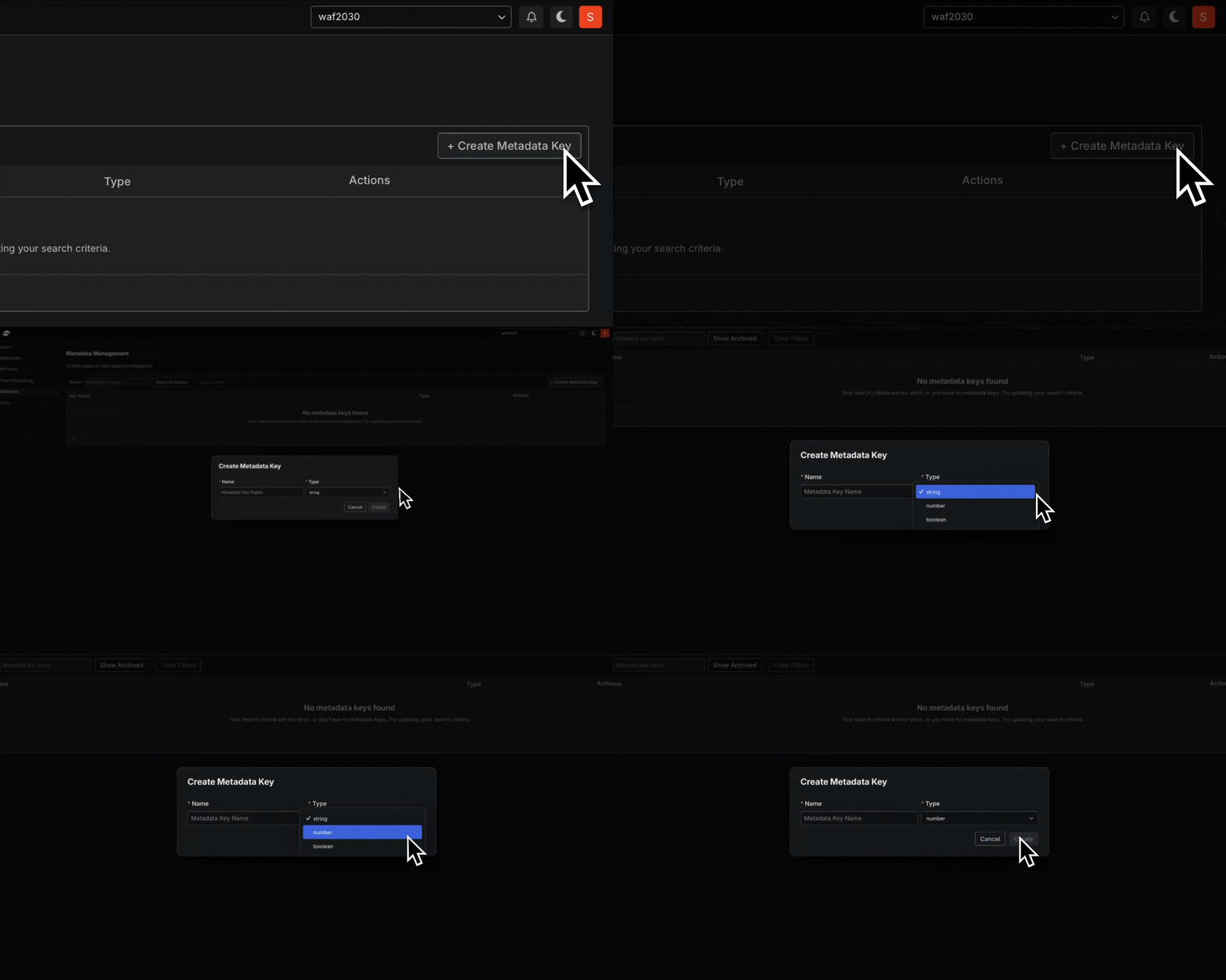
* <Icon icon="o" /> **Overview**: Sift now supports user-defined Metadata,
  allowing you to add structured key-value pairs to all resources including
  <Icon icon="stopwatch" /> Runs,
  <Icon icon="cube" /> Assets,
  <Icon icon="note-sticky" /> Annotations,
  <Icon icon="code-simple" /> Rules,
  <Icon icon="list-check" /> Reports,
  <Icon icon="file-lines" /> Report Templates,
  <Icon icon="objects-column" /> Campaigns,
  <Icon icon="waves-sine" /> Calculated Channels, and
  <Icon icon="function" /> User-defined Functions.
  This provides a consistent way to describe and categorize resources beyond unstructured tags.
  * See the documentation on User-Defined Metadata: [Tutorial](../tutorials/manage/tutorial-2), [Reference](../documentation/manage/organize-and-filter-resources-with-metadata), and [How-to guide](../documentation/manage/get-alerted-when-a-limit-is-breached).

<Frame>
  <img src="https://mintcdn.com/sift/AVPAwC92-E5RJWuy/images/content/release-notes/aug-25/metadata.gif?s=cec38c45954bab041d5a431097005426" alt="Metadata" className="rounded-lg" width="1348" height="720" data-path="images/content/release-notes/aug-25/metadata.gif" />
</Frame>

## <Icon icon="sparkles" /> <span className="new">New</span>: Identity provider (IdP) (Beta) integration for scalable user management

* <Icon icon="o" /> **Overview**: Sift now integrates with external Identity Providers (IdPs) that support push provisioning.
  User and group changes in your IdP automatically synchronize to Sift, ensuring account information remains current without manual intervention.
  * See the documentation on Identity provider (IdP): [Tutorial](../tutorials/manage/tutorial-1), [Reference](../documentation/manage/connect-an-identity-provider), [How-to guide](../documentation/manage/connect-an-identity-provider).

<Frame>
  <img src="https://mintcdn.com/sift/AVPAwC92-E5RJWuy/images/content/release-notes/aug-25/idp.png?fit=max&auto=format&n=AVPAwC92-E5RJWuy&q=85&s=1e257838732c566d0ad90355a271e1b9" alt="IdP" className="rounded-lg" width="1132" height="292" data-path="images/content/release-notes/aug-25/idp.png" />
</Frame>

## <Icon icon="sparkles" /> <span className="new">New</span>: A dedicated Jobs page for easier monitoring and results tracking

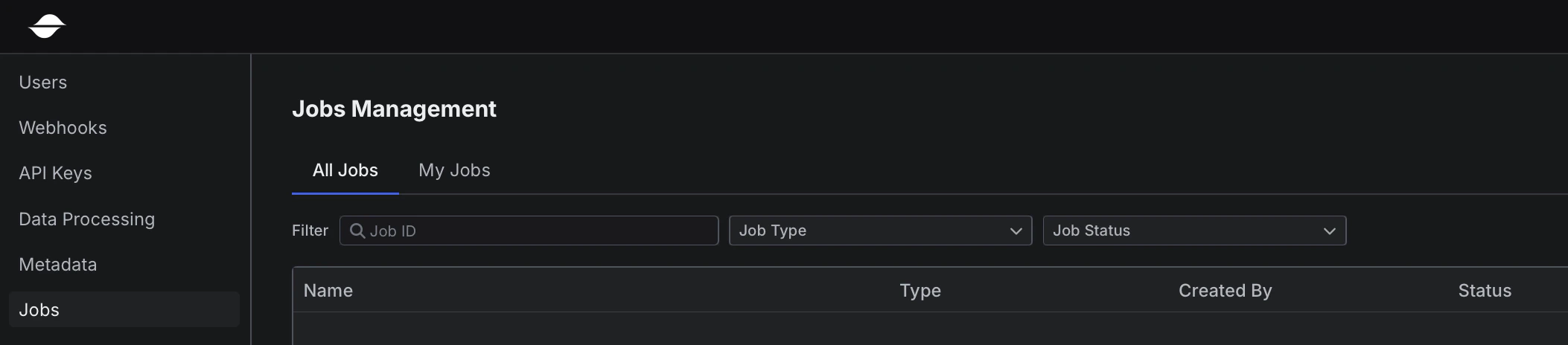
* <Icon icon="o" /> **Overview**: Sift now includes a dedicated Jobs page at  `/manage/jobs`.
  This page provides a central location to view all Jobs in your organization as well as your own Jobs, making it easier to monitor progress, manage execution, review results, and take actions such as canceling or retrying Jobs.

<Frame>
  <img src="https://mintcdn.com/sift/AVPAwC92-E5RJWuy/images/content/release-notes/aug-25/jobs.png?fit=max&auto=format&n=AVPAwC92-E5RJWuy&q=85&s=f272871406e6f6448831c6d07d983d07" alt="Jobs" className="rounded-lg" width="2106" height="464" data-path="images/content/release-notes/aug-25/jobs.png" />
</Frame>

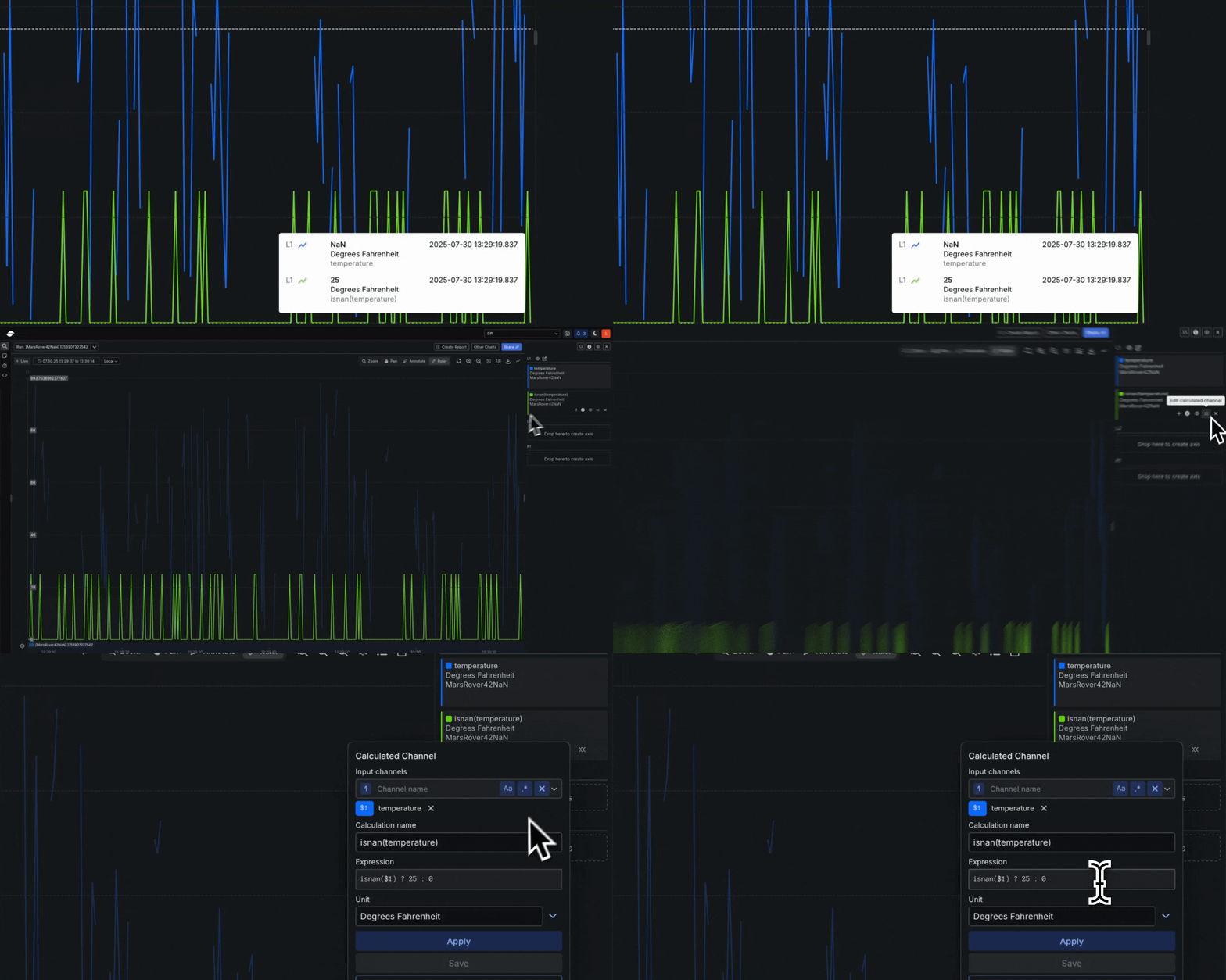
## <Icon icon="sparkles" /> <span className="new">New</span>: NaN and infinity handling for state-aware telemetry analysis

* <Icon icon="o" /> **Overview**: Sift now supports ingestion and analysis of `NaN`, `+Infinity`, and `-Infinity` values in float and double Channels.
  These values were previously filtered out and sent to the dead-letter queue (DLQ) but are now available in Rules, visualizations, and Calculated Channels.
  To ensure safe handling, new built-in functions `isnan`, `isinf`, and `isfinite` provide precise control.

<Frame>
  <img src="https://mintcdn.com/sift/AVPAwC92-E5RJWuy/images/content/release-notes/aug-25/nan.gif?s=3f5da2116fbdf09395b5d06de28fa53a" alt="NaN" className="rounded-lg" width="1348" height="720" data-path="images/content/release-notes/aug-25/nan.gif" />
</Frame>

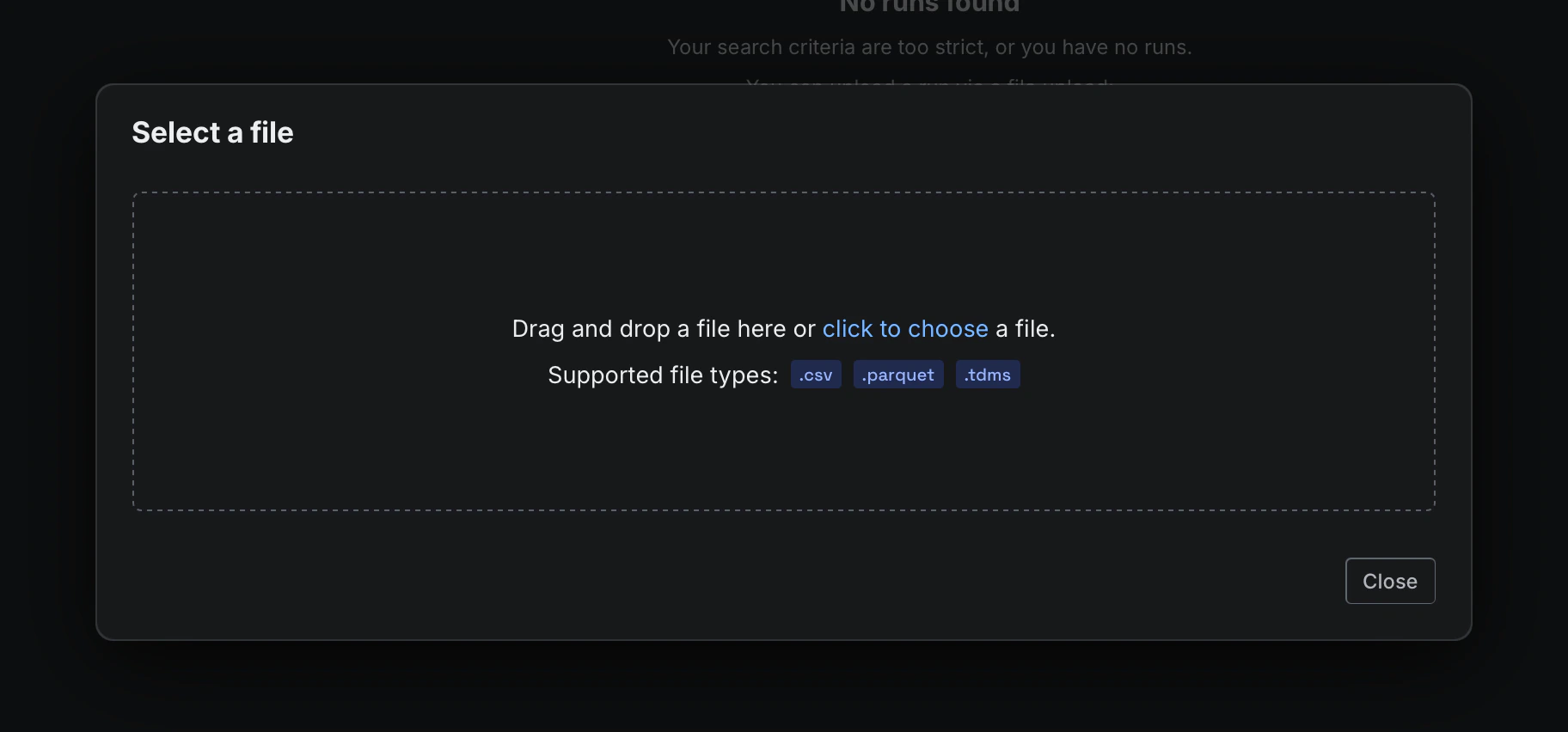
## <Icon icon="sparkles" /> <span className="new">New</span>: Parquet file support for telemetry ingestion in the UI and REST API (Beta)

* <Icon icon="o" /> **Overview**: Sift now supports importing Parquet files through both the UI and the REST API.
  Parquet files can be ingested directly, with each Channel represented as a column in a flat schema.
  This makes it easier to bring telemetry from modern data pipelines into Sift.
  * See the Parquet ingestion docs: [Parquet uploads](../documentation/ingest/data-import/import-data-from-a-file).

<Frame>
  <img src="https://mintcdn.com/sift/AVPAwC92-E5RJWuy/images/content/release-notes/aug-25/parquet.png?fit=max&auto=format&n=AVPAwC92-E5RJWuy&q=85&s=199609bd3f8d621c2460fd1411cd10d3" alt="Parquet" className="rounded-lg" width="1824" height="852" data-path="images/content/release-notes/aug-25/parquet.png" />
</Frame>

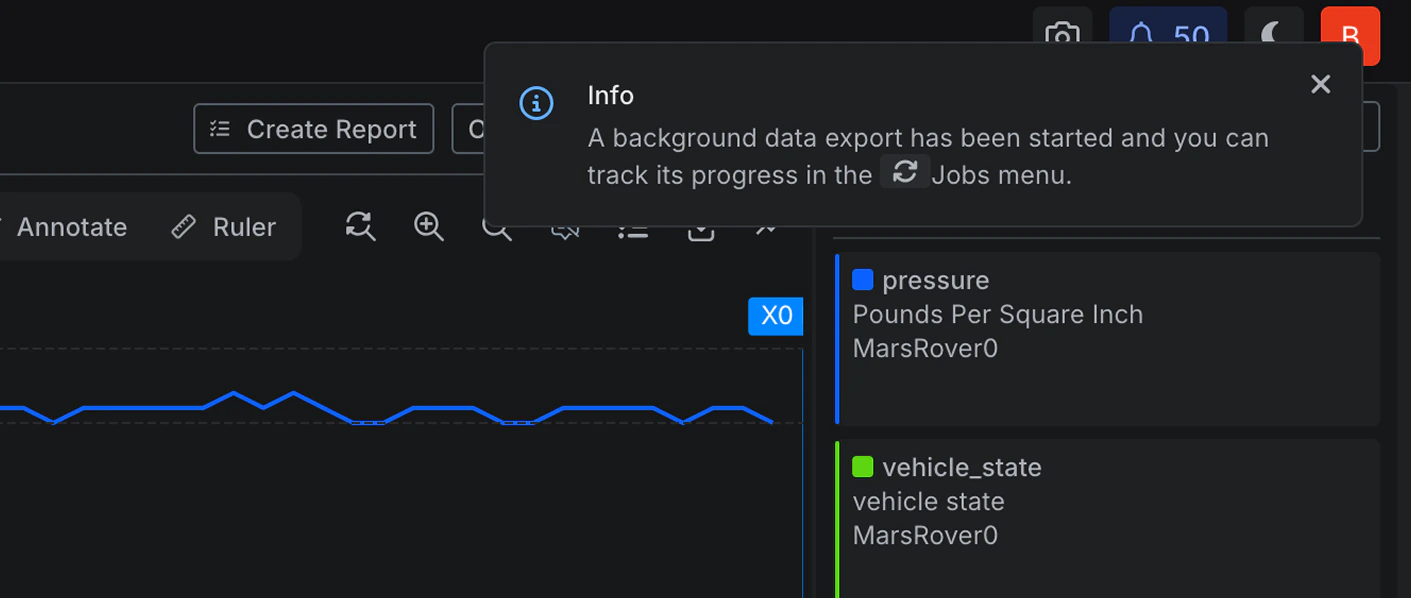
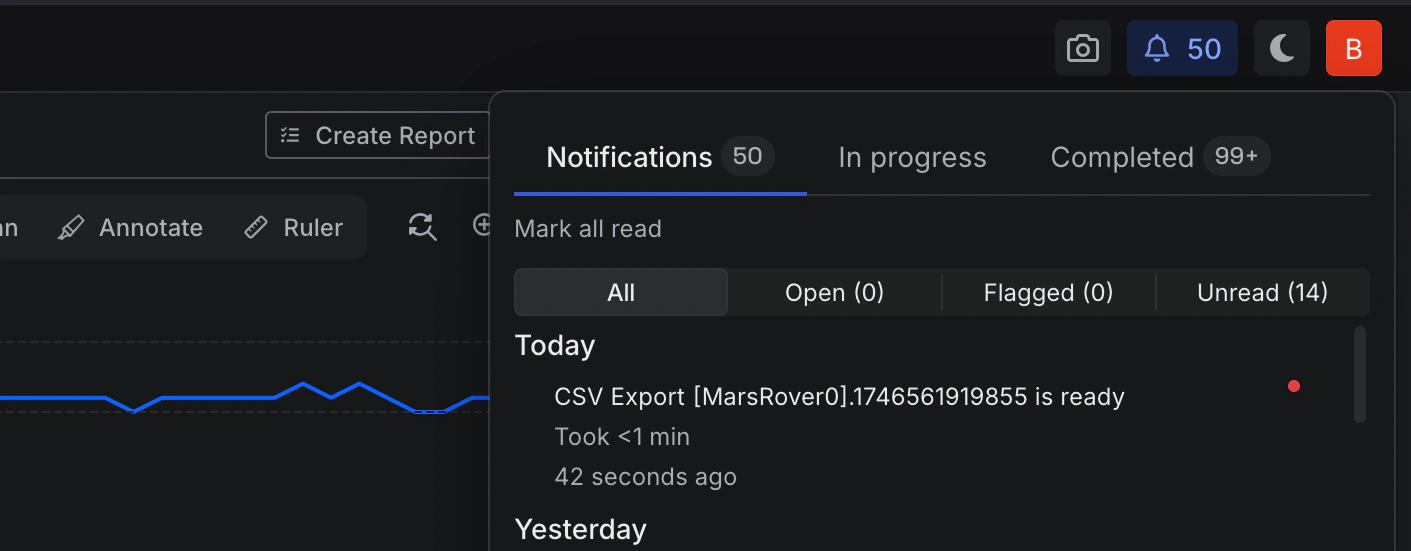
## <Icon icon="hammer" /> <span className="improvement">Improved</span>: Support for 10 GiB exports with background notifications

* <Icon icon="o" /> **Overview**: You can now export large volumes of data directly from the Explore page, whether viewing a Run or an Asset.
  Exports are conducted in the background, and progress is visible in the Notifications dropdown and the Jobs page at `/manage/jobs`.
  Once the export is complete, you will receive a notification and can download the results without needing to monitor the process.
  At this time, exports are supported up to 10 GiB per Job. This safeguard can be adjusted for specific customer needs.

<Frame>
  <img src="https://mintcdn.com/sift/AVPAwC92-E5RJWuy/images/content/release-notes/aug-25/export-1.png?fit=max&auto=format&n=AVPAwC92-E5RJWuy&q=85&s=104a73c907038e0d74607c9eba0e11d8" alt="Export 1" className="rounded-lg" width="1411" height="598" data-path="images/content/release-notes/aug-25/export-1.png" />
</Frame>

<Frame>
  <img src="https://mintcdn.com/sift/AVPAwC92-E5RJWuy/images/content/release-notes/aug-25/export-2.png?fit=max&auto=format&n=AVPAwC92-E5RJWuy&q=85&s=d3102078be92028f63fc3cb19d19e2c4" alt="Export 2" className="rounded-lg" width="1411" height="551" data-path="images/content/release-notes/aug-25/export-2.png" />
</Frame>

## <Icon icon="books" /> Onboarding tutorial

* <Icon icon="o" /> **Overview**: New to Sift, or onboarding a new teammate? Sift now includes a beginner tutorial that introduces the basics of the platform and walks through an end-to-end workflow using real telemetry data. This tutorial is designed to help new users understand Sift quickly and make onboarding easier for your team. [Learn more](../learning-path/overview).