> ## Documentation Index
> Fetch the complete documentation index at: https://docs.siftstack.com/llms.txt
> Use this file to discover all available pages before exploring further.
# March 2026
> New tools for comparison, export, and investigation
This release adds data export, per-Channel downsampling controls, relative-time alignment, data source swapping, and the ability to plot and create Annotations in Explore, plus Calculated Channel support in Rules.
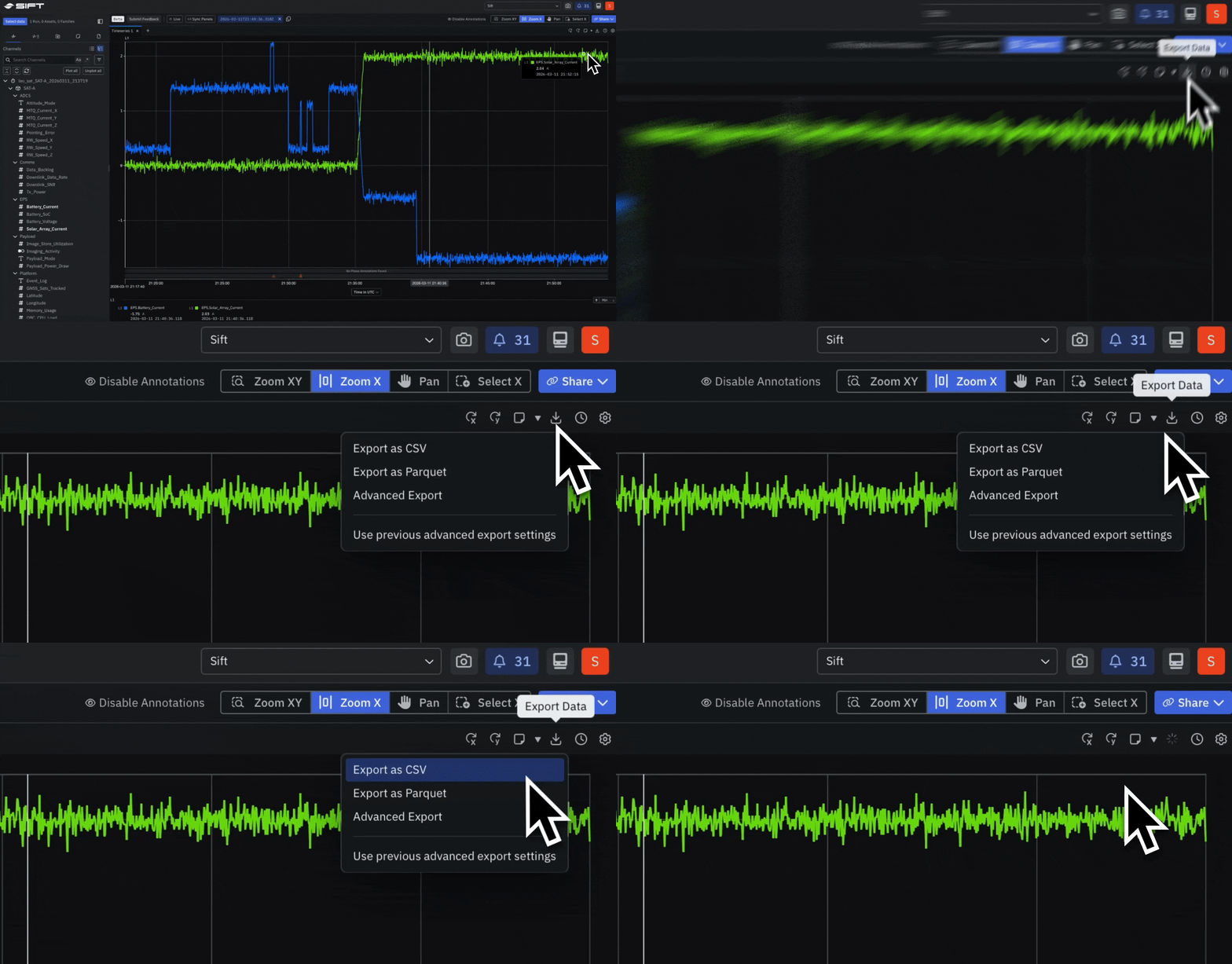
## New: Export data from any Timeseries Panel in CSV, Parquet, or WinPlot
[Export](../../documentation/reference/explore-settings) data directly from any Timeseries Panel in Explore and move it into downstream tools without copying or reformatting.
Choose the format that fits your pipeline:
* **CSV** for broad compatibility,
* **Parquet** for columnar analysis, or
* **WinPlot** for signal-specific tooling.
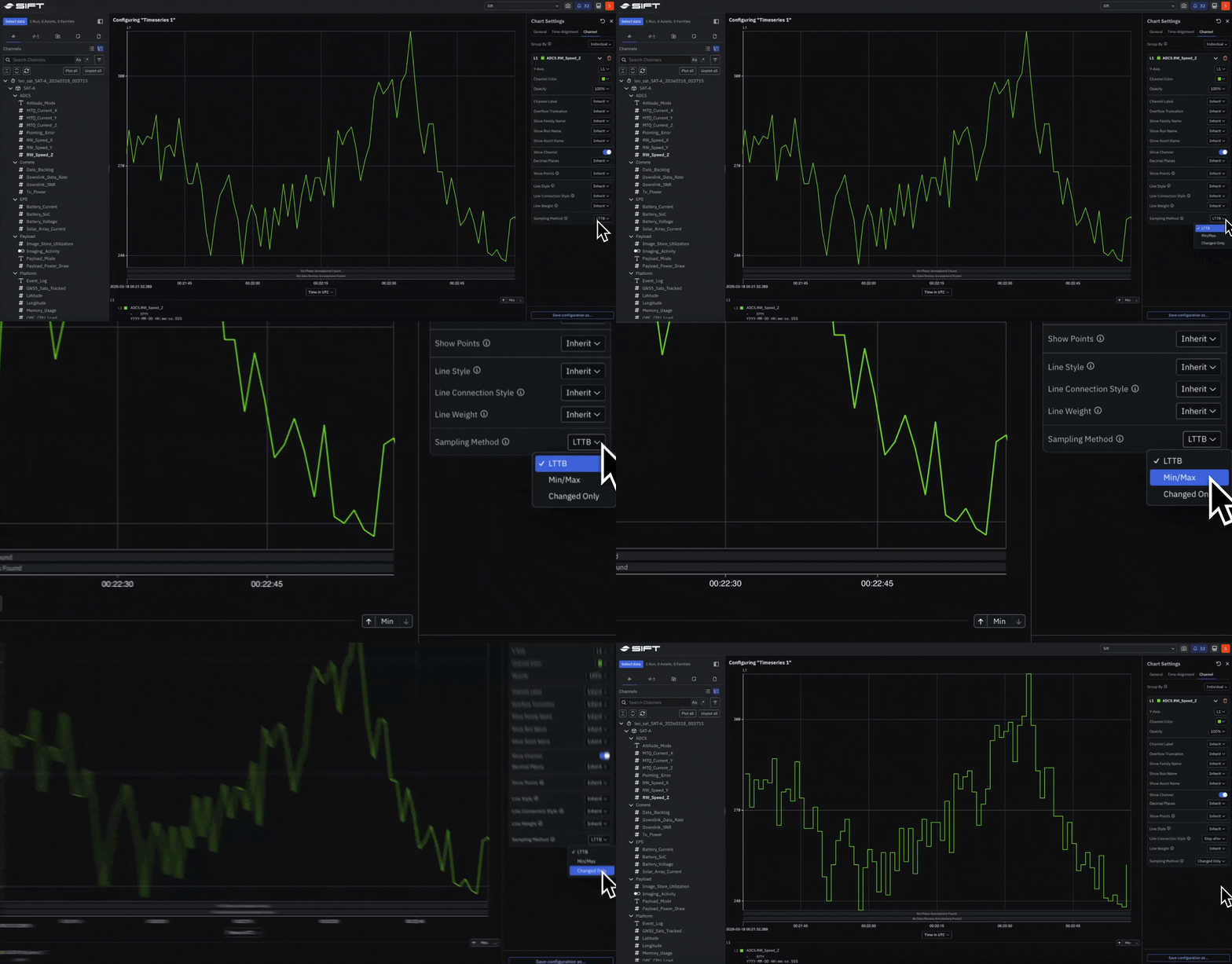
 ## New: Control how each Channel is downsampled in a Timeseries Panel
Select any Channel in a Timeseries Panel to [set](../../documentation/reference/explore-settings) its downsampling method:
* **LTTB** for preserving overall signal shape,
* **Min/Max** for retaining true peaks and valleys, or
* **Changed Only** for capturing state transitions in enum and boolean Channels.
## New: Control how each Channel is downsampled in a Timeseries Panel
Select any Channel in a Timeseries Panel to [set](../../documentation/reference/explore-settings) its downsampling method:
* **LTTB** for preserving overall signal shape,
* **Min/Max** for retaining true peaks and valleys, or
* **Changed Only** for capturing state transitions in enum and boolean Channels.
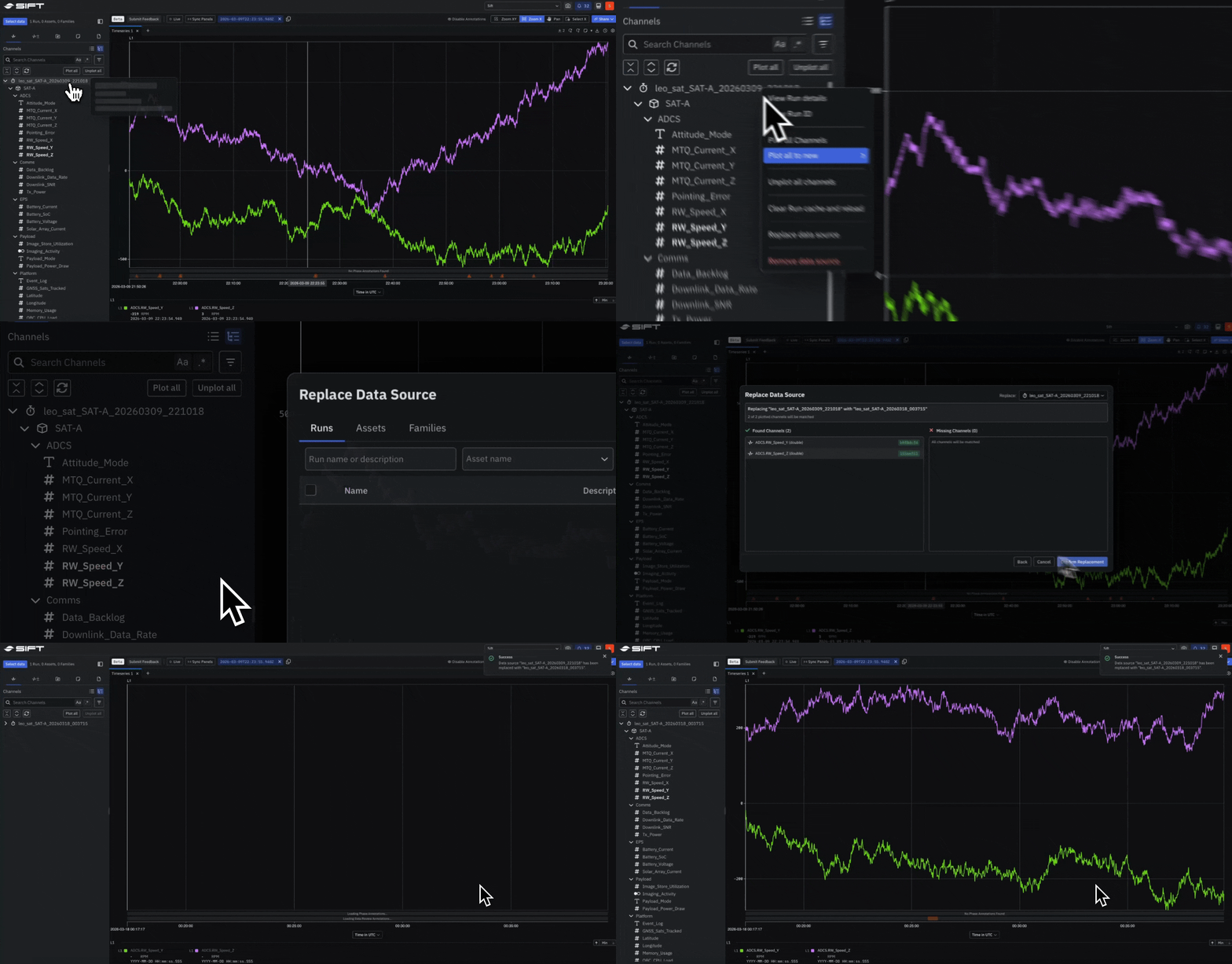
 ## New: Swap a Run or Asset in Explore without rebuilding your Panels
Replace the data source behind an investigation, **Run** or **Asset**, while keeping every Panel, layout, and setting intact. When new test data arrives, [swap](../../documentation/reference/explore-settings) the source and continue where you left off.
## New: Swap a Run or Asset in Explore without rebuilding your Panels
Replace the data source behind an investigation, **Run** or **Asset**, while keeping every Panel, layout, and setting intact. When new test data arrives, [swap](../../documentation/reference/explore-settings) the source and continue where you left off.
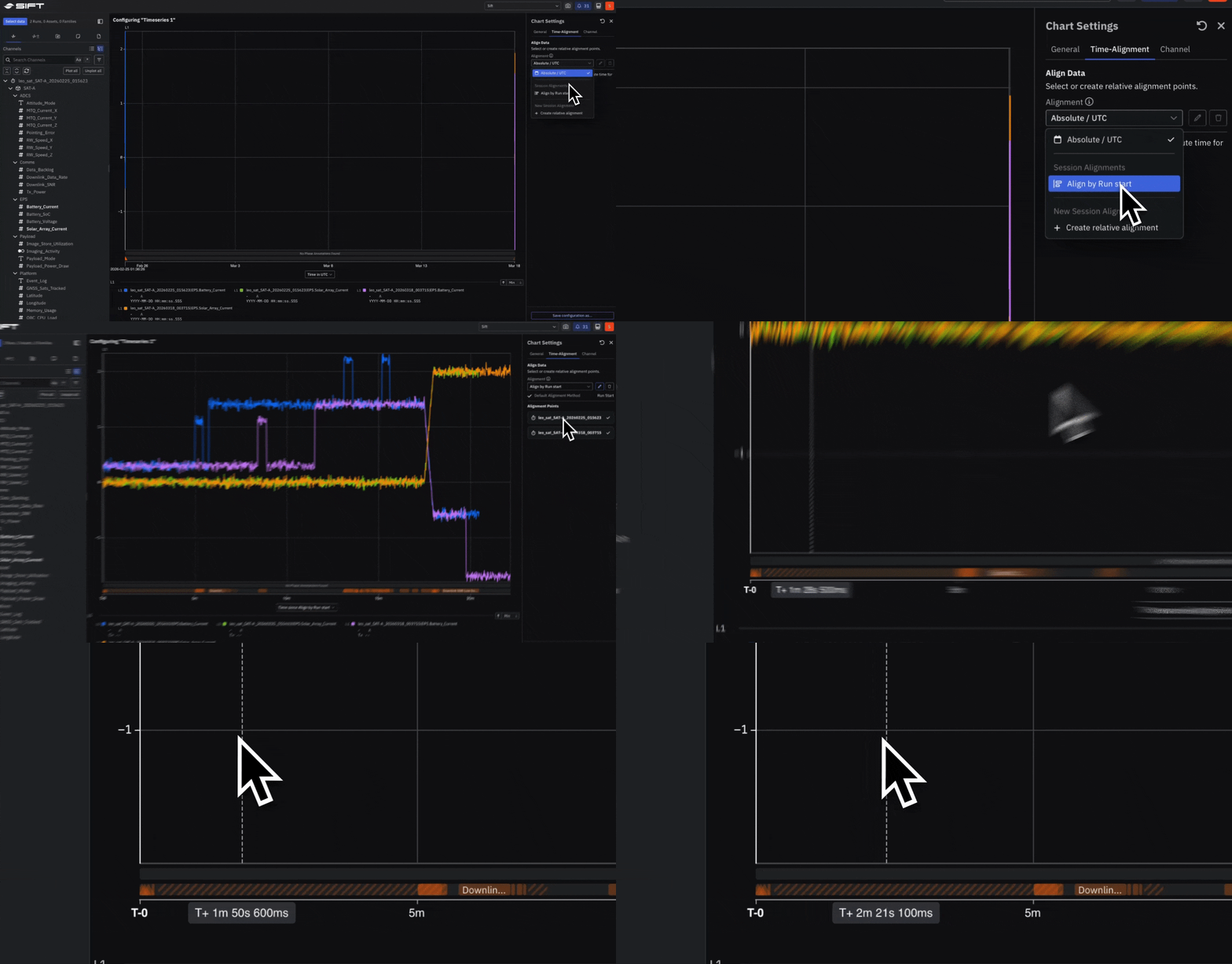
 ## Beta: Align Runs on a shared timeline to compare data across tests
Offset Runs that happened at different times so they share a common reference point.
* [Align](../../documentation/analyze/align-runs-comparison) to the **start or end of a Run**,
* a specific **timestamp**, or
* an **Annotation** within the Run, then compare behavior side by side on one timeline.
## Beta: Align Runs on a shared timeline to compare data across tests
Offset Runs that happened at different times so they share a common reference point.
* [Align](../../documentation/analyze/align-runs-comparison) to the **start or end of a Run**,
* a specific **timestamp**, or
* an **Annotation** within the Run, then compare behavior side by side on one timeline.
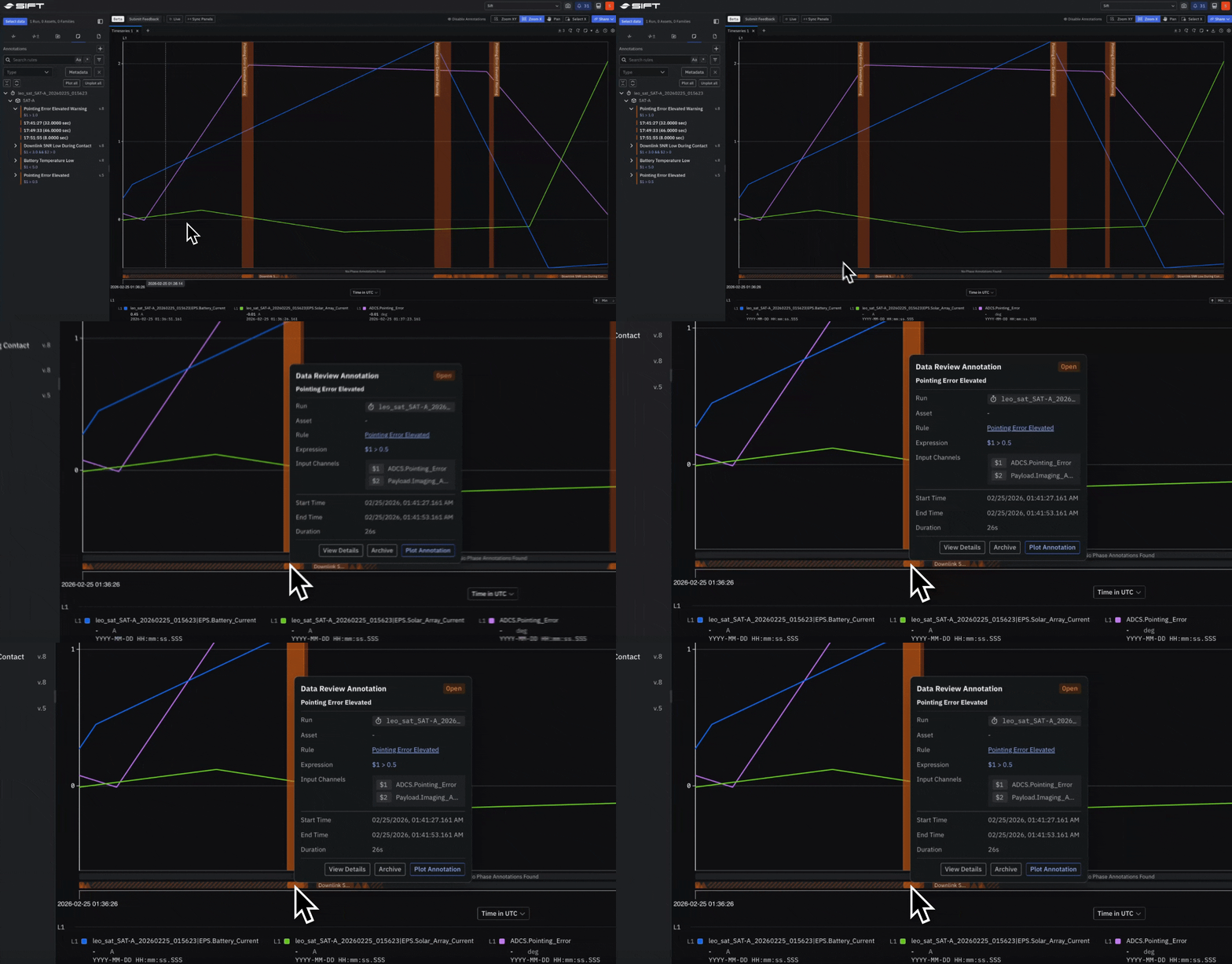
 ## Beta: Plot and create Annotations directly on a Timeseries Panel
[Plot](../../documentation/analyze/analyze-a-run) Annotations from an **Asset** or **Run** onto any Timeseries Panel and [create](../../documentation/analyze/analyze-a-run) new ones without leaving Explore. Mark a phase, flag a review, or pin an exact moment so the full context stays attached to the data.
## Beta: Plot and create Annotations directly on a Timeseries Panel
[Plot](../../documentation/analyze/analyze-a-run) Annotations from an **Asset** or **Run** onto any Timeseries Panel and [create](../../documentation/analyze/analyze-a-run) new ones without leaving Explore. Mark a phase, flag a review, or pin an exact moment so the full context stays attached to the data.
 ## Beta: Trigger Rules on Calculated Channels to alert on derived metrics
Rules now accept Calculated Channels as inputs. Define thresholds and trigger alerts on derived metrics, not just raw telemetry Channels.
## Beta: Trigger Rules on Calculated Channels to alert on derived metrics
Rules now accept Calculated Channels as inputs. Define thresholds and trigger alerts on derived metrics, not just raw telemetry Channels.