> ## Documentation Index
> Fetch the complete documentation index at: https://docs.siftstack.com/llms.txt
> Use this file to discover all available pages before exploring further.
# New Panels, faster rendering, and reusable Explore configurations
> Release notes · June 2026
This release ships Sift CLI v0.2.0 with HDF5 and TDMS imports, Parquet export, and built-in documentation. It also adds two new Panel types and performance improvements to the Timeseries Panel in Explore. Explore configurations can now be saved and reused across Runs, Assets, and Families.
## New Move telemetry in and out of Sift from the terminal
Bring more telemetry into Sift straight from the terminal with the Sift [CLI](/documentation/cli/sift-cli) v0.2.0.
* Import HDF5 and TDMS files in their native format, with a preview before upload
* Export to Parquet for downstream analysis alongside existing export formats
* Confirm authentication and connectivity before starting a long-running upload
* Access reference documentation directly in the terminal
## Beta Pick up any investigation where you left off and reuse it across the team
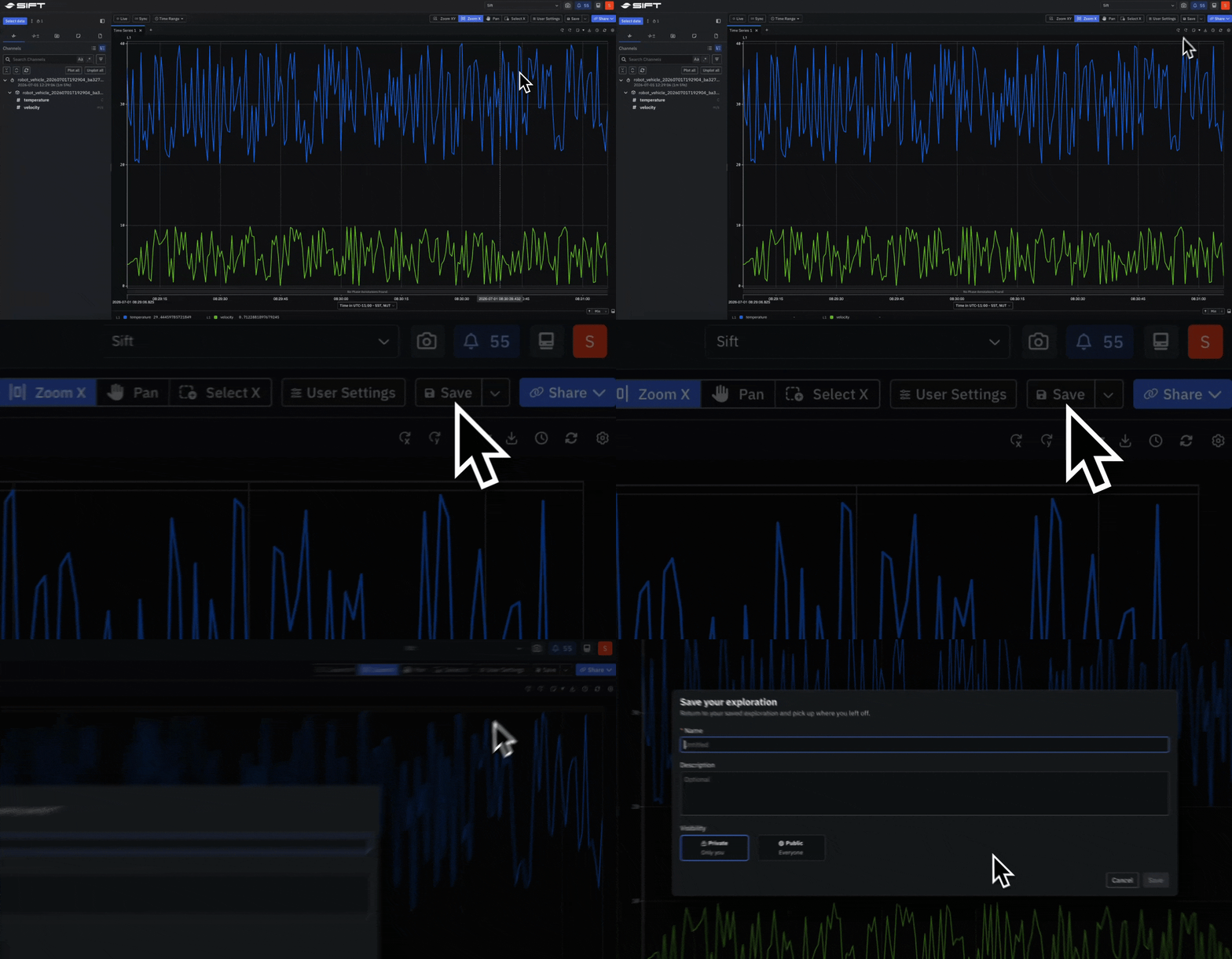
Save the full state of an Explore session as a [configuration](/documentation/reference/explore-settings#save-explore-configurations), including Panels, layout, selected Runs, Assets, Families, Channels, time range, and compare settings. Open a saved configuration to continue an in-progress investigation or to start a recurring one from a known baseline.
* Reuse the same configuration across different Runs, Assets, and Families for consistent analysis
* Share configurations with teammates as templates for onboarding or operation-specific analysis
 ## Beta See a system's state and every change across time
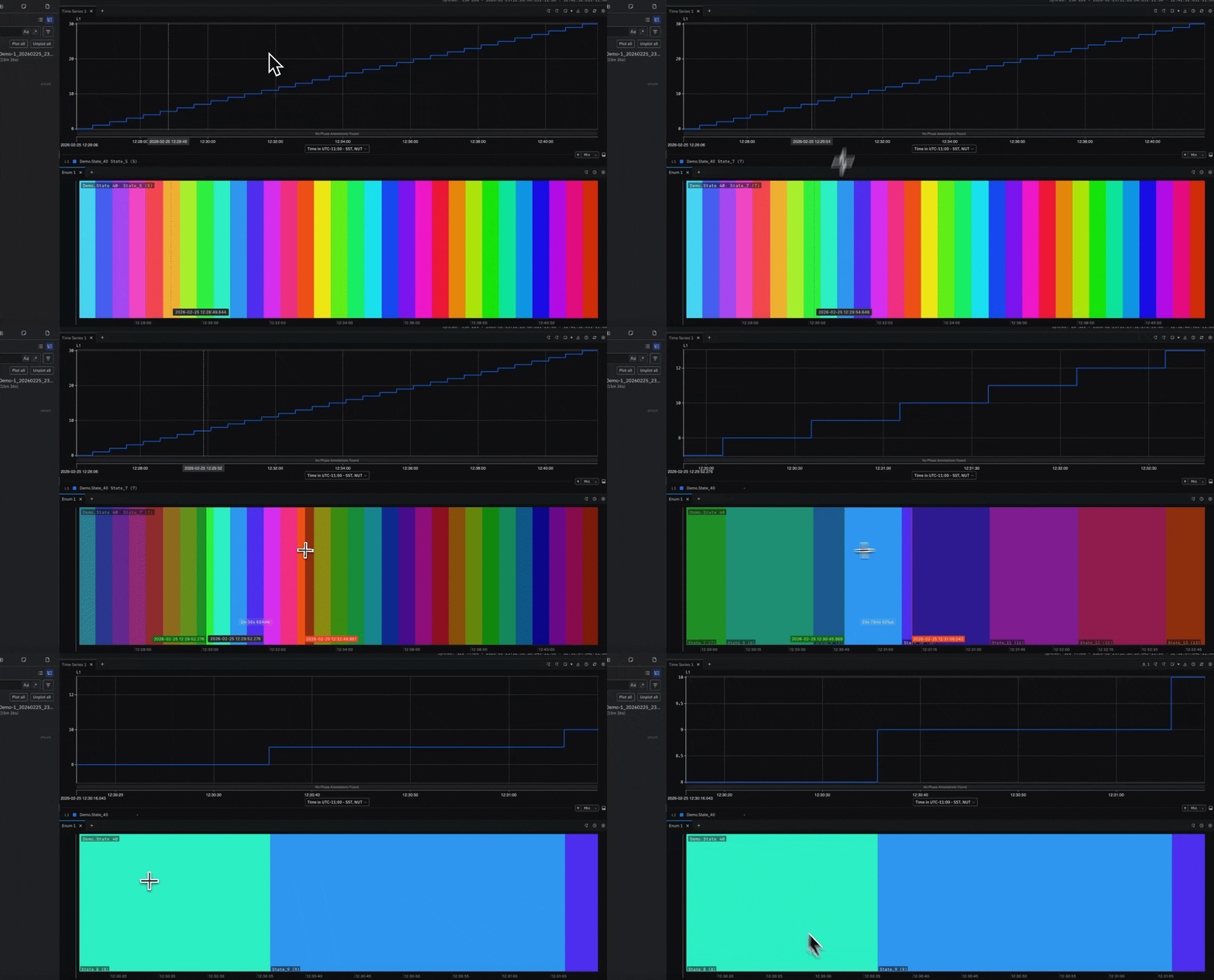
Plot enum and boolean Channels as a color-coded timeline with the [Enum Panel](/documentation/reference/explore-settings#panel-types). Each value period appears as a labeled band with its state name, so system behavior reads as named states over time.
## Beta See a system's state and every change across time
Plot enum and boolean Channels as a color-coded timeline with the [Enum Panel](/documentation/reference/explore-settings#panel-types). Each value period appears as a labeled band with its state name, so system behavior reads as named states over time.
 ## Beta Read every Channel's current value, live or at any point in time
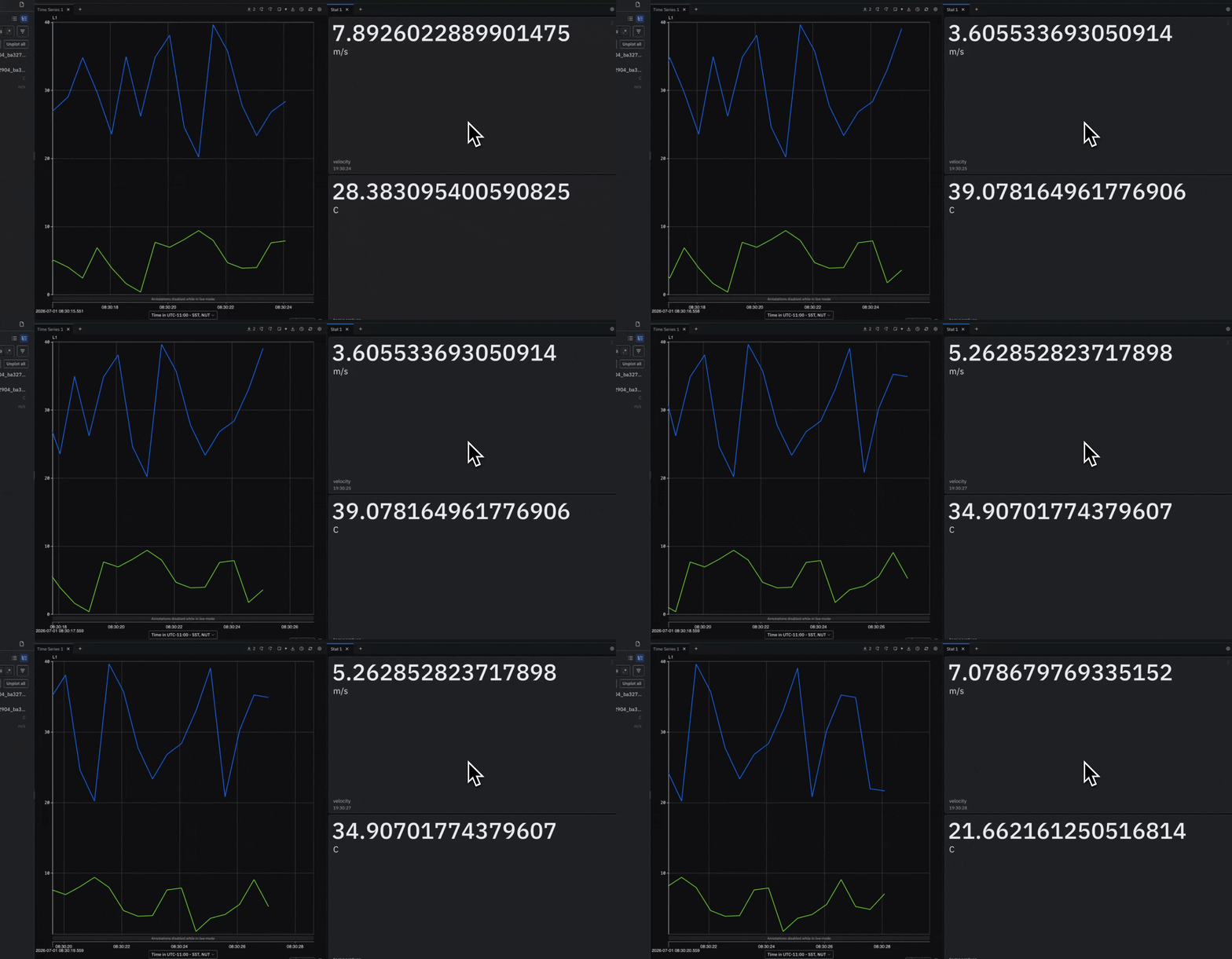
Display the most recent value for each plotted Channel as a tile with the [Stat Panel](/documentation/reference/explore-settings#panel-types). Values update in real time during Live mode and follow the time cursor when scrubbing through historical telemetry.
* Updates automatically in Live mode or when hovering over another Panel
* Supports numeric, boolean, enum, and bit field Channels
* Works with Timeseries, Enum, Table, Geo Map, and File Viewer Panels
## Beta Read every Channel's current value, live or at any point in time
Display the most recent value for each plotted Channel as a tile with the [Stat Panel](/documentation/reference/explore-settings#panel-types). Values update in real time during Live mode and follow the time cursor when scrubbing through historical telemetry.
* Updates automatically in Live mode or when hovering over another Panel
* Supports numeric, boolean, enum, and bit field Channels
* Works with Timeseries, Enum, Table, Geo Map, and File Viewer Panels
 ## Beta Pan, zoom, and render high-rate telemetry at full speed
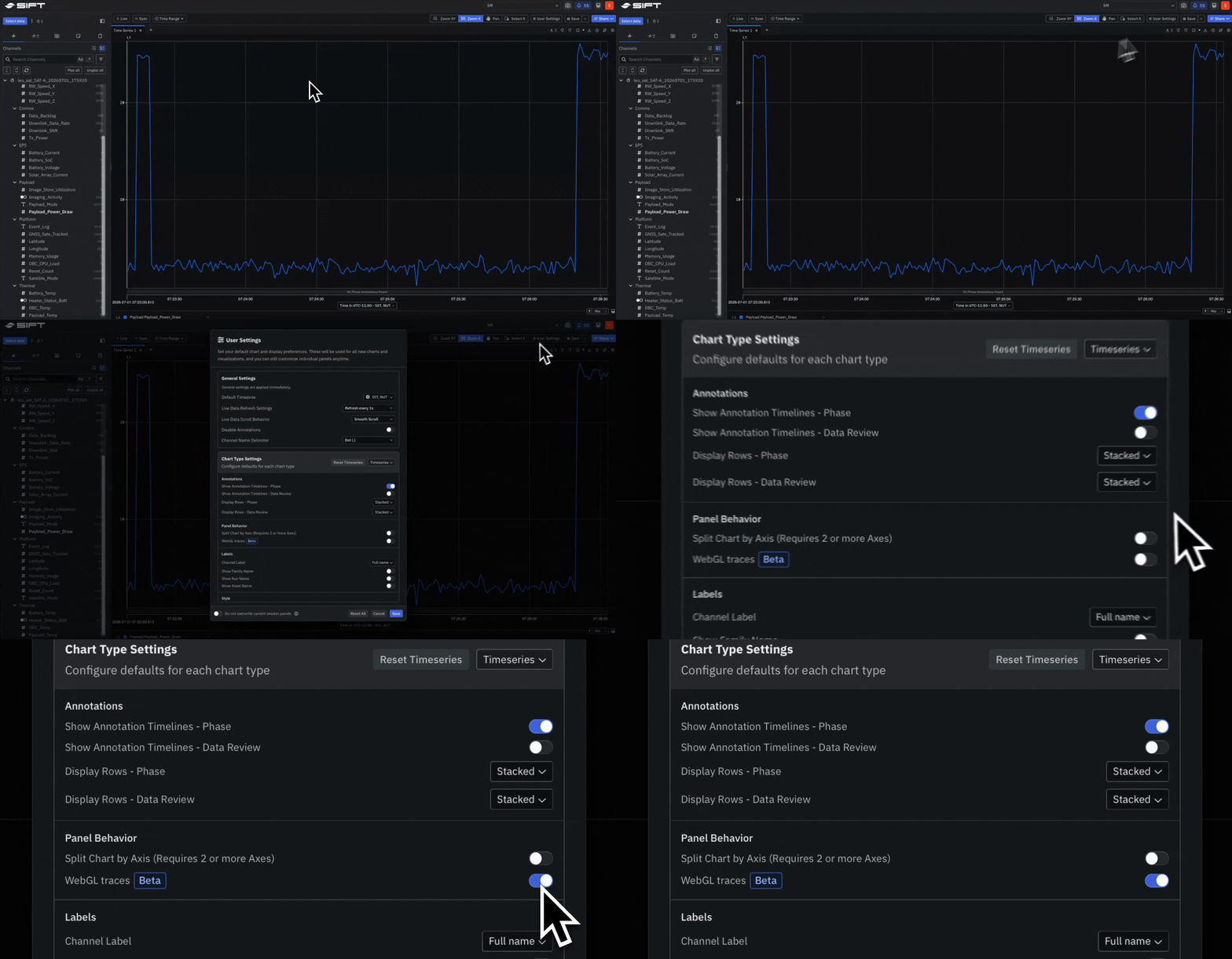
Enable [WebGL rendering](/documentation/reference/explore-settings#webgl-traces) in the Timeseries Panel for faster panning, zooming, and point rendering. Recommended for Windows and Linux users working with high-volume telemetry or high-rate Channels.
## Beta Pan, zoom, and render high-rate telemetry at full speed
Enable [WebGL rendering](/documentation/reference/explore-settings#webgl-traces) in the Timeseries Panel for faster panning, zooming, and point rendering. Recommended for Windows and Linux users working with high-volume telemetry or high-rate Channels.