> ## Documentation Index
> Fetch the complete documentation index at: https://docs.siftstack.com/llms.txt
> Use this file to discover all available pages before exploring further.
# Import flight logs, reuse investigations, and shape your Channel tree
> Release notes · August 2026
Bring PX4 flight logs into Sift in their native format, reopen any Explore session exactly as you left it, and control how Channel names build your Channel tree.
## Event Sift Edge demo: capture telemetry offline at the test stand
Sift Edge is now available. Join Benjamin Nguyen, Lead Engineer for Sift Edge, and Zach Plunkett, Solutions Architect, for a 30-minute demo on Wednesday, August 19 at 10 AM PT.
See Sift Edge in action: capture telemetry locally and view it live at the test stand, even without an internet connection. You'll also see how Sift Edge uploads selected runs to Sift once you reconnect. Expect roughly 20 minutes of demo and 10 minutes of Q\&A.
* Watch a [two-minute preview](https://youtu.be/rSRJR0R9wnY) of what to expect
* [Register here](https://www.siftstack.com/edge-webinar#register-webinar) to save your spot
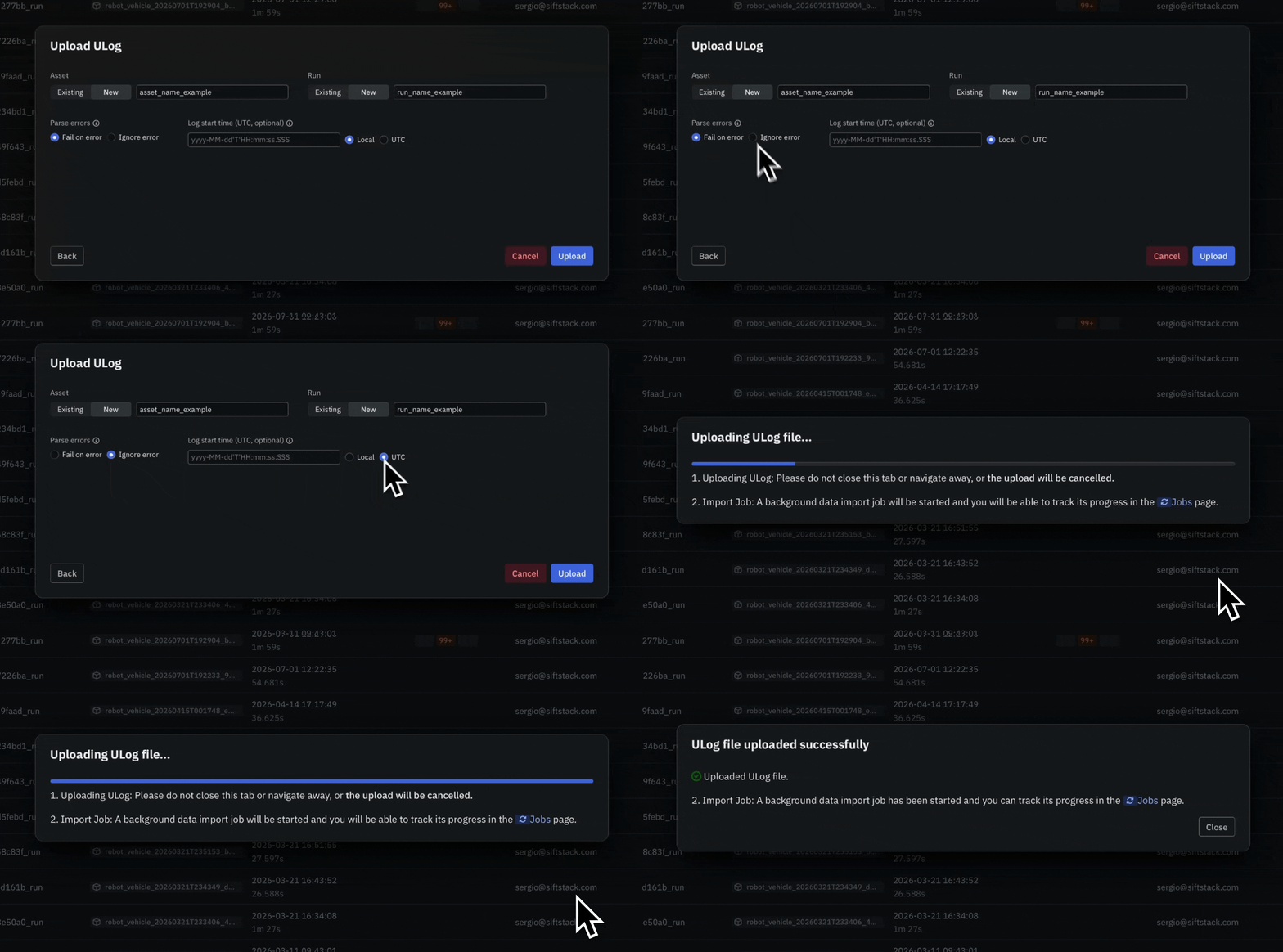
## New Import PX4 flight logs (ULog) straight into Sift
Bring [ULog files](/documentation/ingest/data-import/import-data-from-a-file) into Sift through the UI, CLI, Python client, or API (REST and gRPC).
* Analyze PX4 flight telemetry in its native format, ready the moment it lands
* Correlate vehicle parameters and system messages alongside your Channels
* Line up flight events with the rest of your Run on one timeline, anchored to a start time you supply or GPS time when none is set
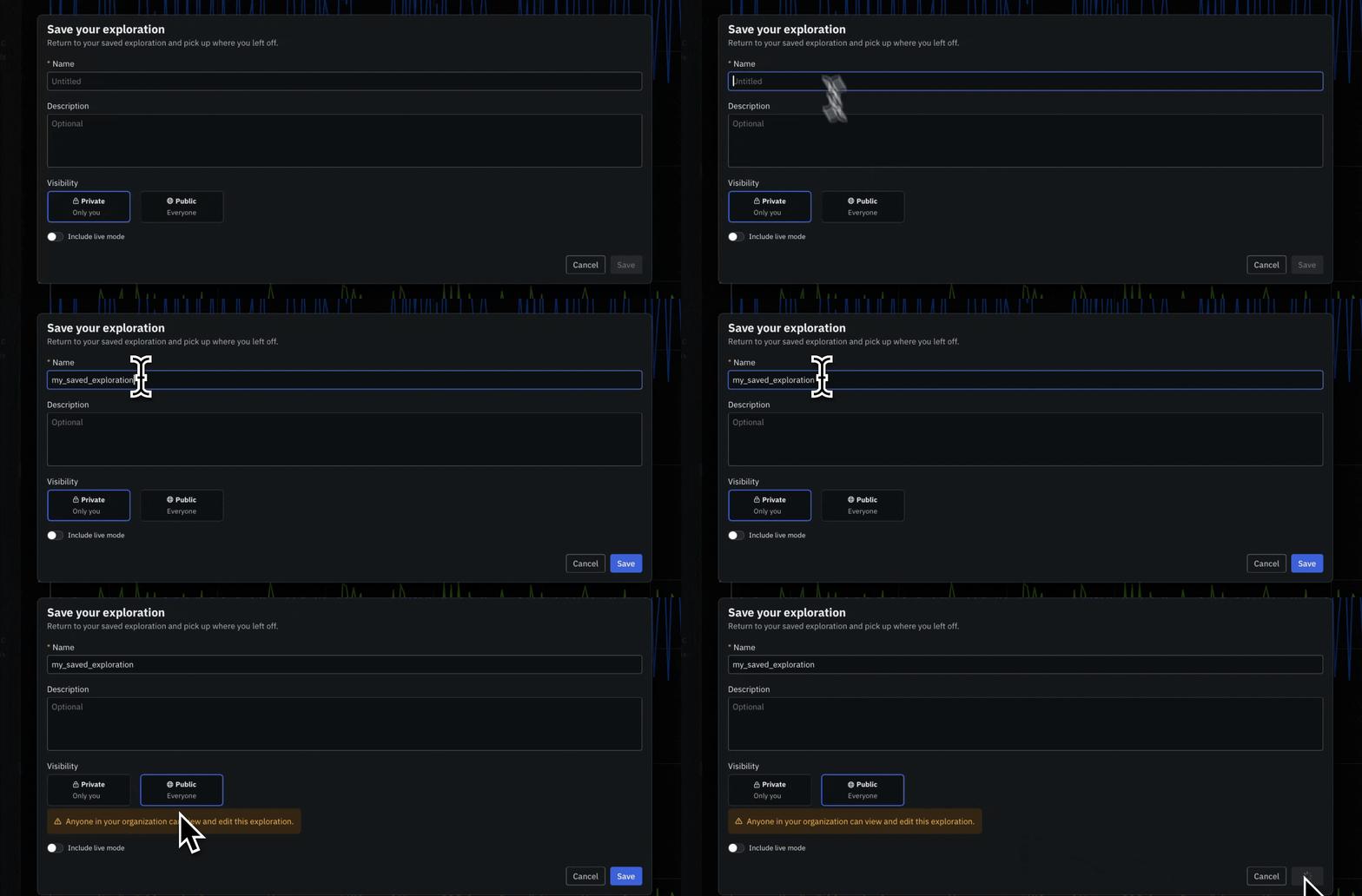
 ## New Reopen any investigation exactly as you left it
Save the full state of an Explore session, then reopen it to pick up where you left off. [Saved Explorations](/documentation/reference/explore-settings#saved-explorations) are now generally available to every team.
* Capture Panels, layout, data sources, Channels, time range, and compare settings in one saved state
* Start a recurring investigation from a known baseline
* Share a Saved Exploration as a template for onboarding or operation-specific analysis
## New Reopen any investigation exactly as you left it
Save the full state of an Explore session, then reopen it to pick up where you left off. [Saved Explorations](/documentation/reference/explore-settings#saved-explorations) are now generally available to every team.
* Capture Panels, layout, data sources, Channels, time range, and compare settings in one saved state
* Start a recurring investigation from a known baseline
* Share a Saved Exploration as a template for onboarding or operation-specific analysis
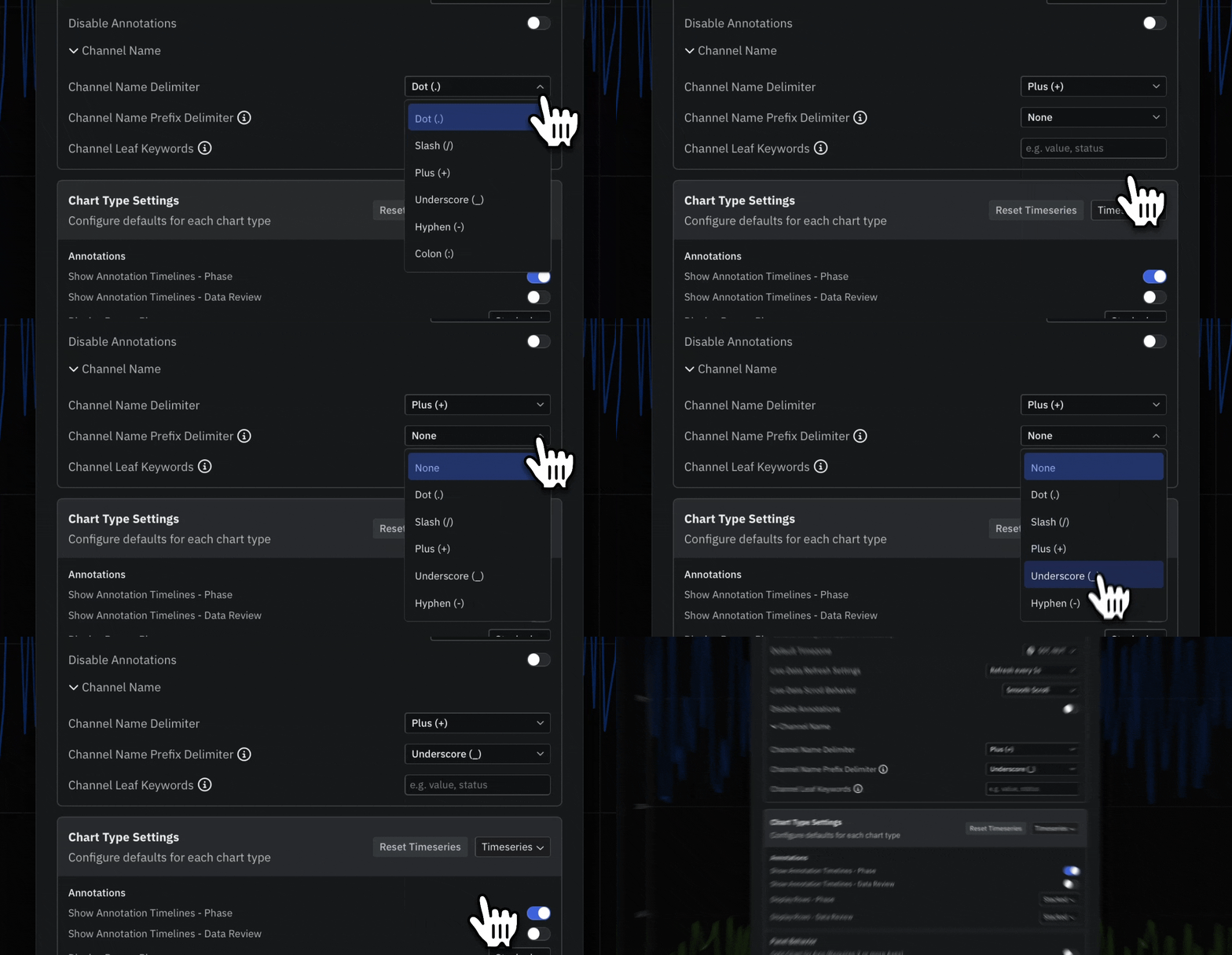
 ## Beta Shape your Channel tree with two new delimiter settings
Control how Channel names resolve into the Channel tree with two new settings that build on the existing [Channel Name Delimiter](/documentation/reference/naming-rules#channel-name-structure) setting.
* Add a Channel name prefix delimiter to split off folder-style paths, such as the slash in `telemetry/motor.rpm`
* Set Channel leaf keywords to trim repetitive trailing segments that recur across many Channel names
* Keep source Channel names as they are and shape the Channel tree in Sift
## Beta Shape your Channel tree with two new delimiter settings
Control how Channel names resolve into the Channel tree with two new settings that build on the existing [Channel Name Delimiter](/documentation/reference/naming-rules#channel-name-structure) setting.
* Add a Channel name prefix delimiter to split off folder-style paths, such as the slash in `telemetry/motor.rpm`
* Set Channel leaf keywords to trim repetitive trailing segments that recur across many Channel names
* Keep source Channel names as they are and shape the Channel tree in Sift